
Video processing in Activepieces, without polling
Add the Rendobar piece to Activepieces, connect an API key, and build a flow that compresses a video and posts the link while the flow sleeps.
 Abdelrahman Essawy 6 MIN READ
The Rendobar piece adds media jobs to an Activepieces flow: FFmpeg commands, compression to a target size, burned-in captions, and image generation. You install it by package name, paste a Rendobar API key, and a Run a Media Job step returns the finished file’s URL to the next step. While the job runs, the flow is paused on a waitpoint instead of polling, so a long render neither holds a worker nor hits the run timeout.
Who can install it
The piece is not in the Activepieces catalog, so it installs as a private piece from npm. On a self-hosted instance, a platform admin can add it. On Activepieces Cloud, the pricing page lists private pieces under the Ultimate plan only (checked 26 September 2026), so a Free, Plus or Team workspace cannot add it.
On those plans a catalog piece is the better choice. The Cloudinary piece uploads images and video and applies transformations such as resize, crop and watermark, with nothing to install. For a job it does not cover, the HTTP piece can call Rendobar’s REST API directly, at the cost of building the request and the wait yourself.
Install the piece and connect a key
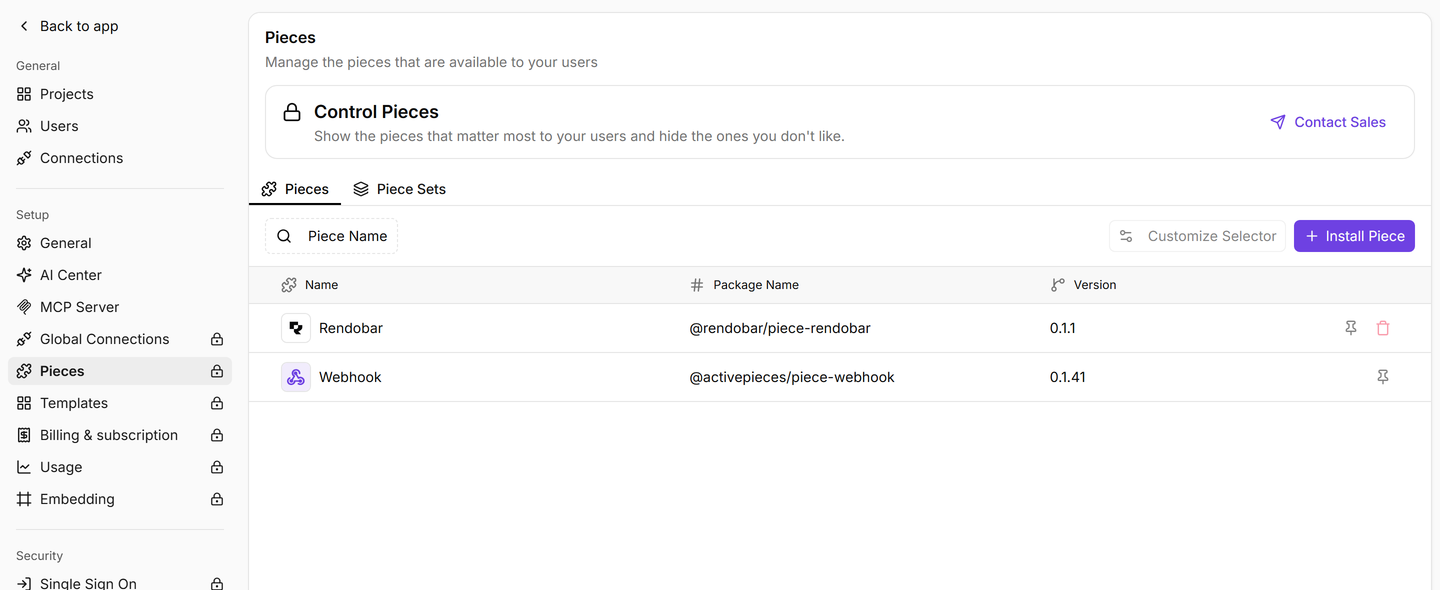
- Open Platform Admin, then the Pieces page, and choose Install Piece. The current Activepieces docs place it under Platform Admin, Catalogue, Pieces. Older builds show the same page under platform settings.
- Set Package Type to NPM Registry, Piece Name to
@rendobar/piece-rendobarand Piece Version to the latest on npm, 0.2.1 at the time of writing. - Create a Rendobar API key at app.rendobar.com under Settings, API Keys. It starts with
rb_. - Add a Rendobar step to any flow, create a connection and paste the key. The piece checks the key against the API when you save, so a wrong key fails here and not on the first run.
A full-access key works. A scoped key needs jobs:write, assets:write and billing:read, plus webhooks:write for the Finished Job trigger. A key made before 13 September 2026 cannot read connected storage, so make a new one if you plan to use the storage actions.
Build a flow that compresses a video
This flow takes a video URL, compresses it under 25 MB and posts the link to Slack. It has three steps.
- Trigger: add the Webhook piece’s Catch Webhook trigger. Anything that can send a POST with a JSON body such as
"url": "https://…/clip.mp4"can start the flow. - Rendobar, Run a Media Job: set Job Type to
compress.target. Under Input Media, map Source to the trigger body’surl. Under Parameters, set For toweband the Target JSON field to{"maxSize": "25mb"}. Leave Wait for the Result on. - Slack, send a message: map the Rendobar step’s
file_urlinto the message text.
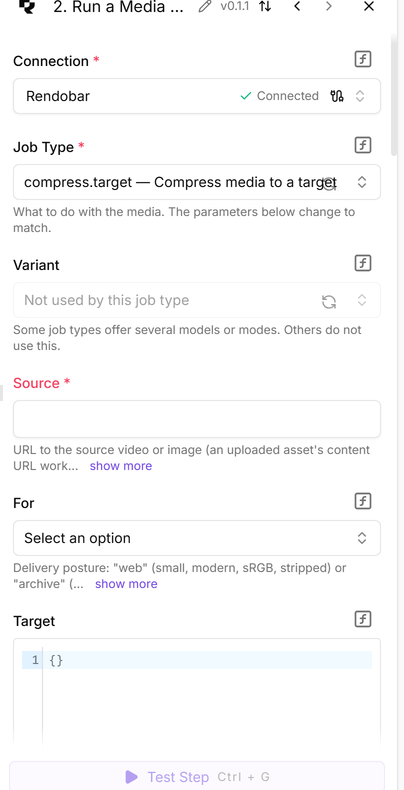
Every job-shaped step returns the same flat row, so the next step always finds the same columns: id, type, status, succeeded, file_url, file_size_bytes, cost_formatted, duration_ms and a few more. data carries a job type’s computed result, such as a probe report, and files the full output list. cost_formatted can be empty on a row read the moment a job completes, because billing settles a moment later.
The URL in file_url expires with the job’s retention window. If the link must last, put a Share Output step between Rendobar and Slack, which turns the output into a permanent public link. If the source is a file inside the flow, for example from a Google Drive trigger, add an Upload File step first and map its url into Source.
When a job fails, the step fails too, and the run goes down the flow’s error path. Turn off Fail This Step if the Job Fails to keep the run going and branch on succeeded instead, which suits a flow where a rejected input is an expected outcome.
What happens while the job runs
Run a Media Job creates a waitpoint, hands Rendobar the resume URL as the job’s callback, and pauses the flow. Rendobar calls that URL when the job finishes, and the flow resumes with the finished row.
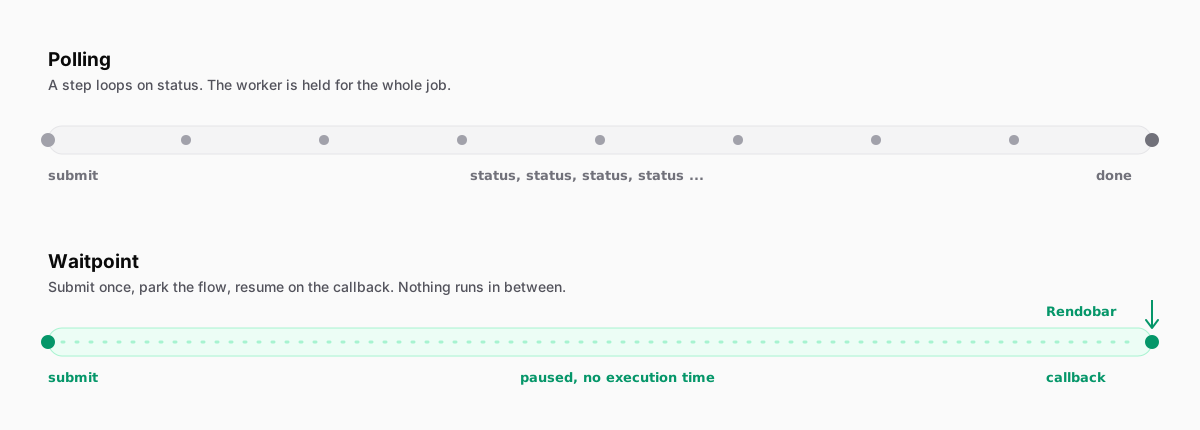
The pause is what makes long jobs possible. A paused flow does not count against the run timeout, which Activepieces sets at 600 seconds by default, while a Rendobar job may run for up to an hour on Free and nine on Pro. A polling step would hold a worker for all of it and still could not outlast the job. In a run against production on 1 September, the flow paused 12 seconds in and resumed 8 seconds later, and the step’s own execution came to about half a second.
The callback has to reach your Activepieces from the internet. When the resume URL is not publicly reachable, typically a self-hosted instance on a private network, the step falls back to polling on its own. Only then does Maximum Wait apply, 300 seconds by default, and it should stay below the flow timeout. The job keeps running on Rendobar either way.
If a flow should end after submitting, turn Wait for the Result off and start a second flow from the Finished Job trigger. Its Outcome setting picks succeeded jobs, failed jobs, any finished job, or the moment every storage delivery has landed. Finished Job registers a webhook. Finished Job (Polling) does the same on a timer, for an instance Rendobar cannot reach.
The other actions
| Action | What it does for the flow |
|---|---|
| Upload File | Puts a file from an earlier step into Rendobar and returns a URL a job can read. |
| Get Job | Reads a job’s status, output file and cost. |
| Find Jobs | Lists recent jobs, filtered by status and type. |
| Get Job Logs | Reads what the runner recorded, for finding out why a job failed. |
| Share Output | Turns a finished job’s output into a permanent public link. |
| Cancel Job | Stops a job that has not started running yet. |
| Get Account | Reads the plan, the credit balance and the limits. |
| Find Storage Connections | Lists the buckets connected on Rendobar’s Storage page. |
| List Storage Files | Lists folders and files in a connected bucket, each with a storage:// URI a job accepts. |
| Custom API Call | Calls any Rendobar endpoint the piece does not wrap. |
The Job Type dropdown and the fields under it are read from the API when you open the step, so a job type Rendobar releases later appears without a new version of the piece.
If your Activepieces is self-hosted or on Ultimate, I would keep Wait for the Result on for nearly every flow and let the waitpoint absorb the job’s length. I would switch to the Finished Job trigger only when nothing after the job belongs in the same run. The same pattern in n8n, a callback that resumes a parked execution, is covered in the n8n Cloud FFmpeg guide.
Frequently asked questions
How do I get the output file into the next Activepieces step instead of a URL?
Turn on Download the Output File on the Run a Media Job step. The finished file is attached to the step, so a later step can upload it without fetching the URL. Activepieces caps a step file at 10 MB on Cloud, so leave it off for most rendered video and pass file_url instead.
Can I connect the Rendobar piece with OAuth instead of an API key?
The connection field accepts an OAuth access token, but the Finished Job trigger needs an API key. Rendobar treats registering a webhook as account management and refuses OAuth tokens there, so an OAuth connection leaves you with the polling trigger only.