Best FFmpeg API in 2026, compared
Compare 8 FFmpeg APIs on raw command support, billing unit, free tier and agent access, with entry plans from $12 to $49 verified in September 2026.
 Abdelrahman Essawy 14 MIN READ
I build one of the tools on this list, so read this as a developer who lives in this space, not as a neutral referee. I’ve tried to be fair anyway, and I recommend competitors below where they genuinely win. If a comparison ever reads like every row favors the author, it’s marketing, not a comparison.
Updated 2026-09-02. The first version of this post covered five services and missed three that compete directly for the same searches: FFmpeg Micro, RenderIO and ffmpegapi.net. All pricing below was re-read from each vendor’s live page on 2026-09-02, and two of them had moved since August: FFmpeg Micro’s free tier and ffmpegapi.net’s whole price list.
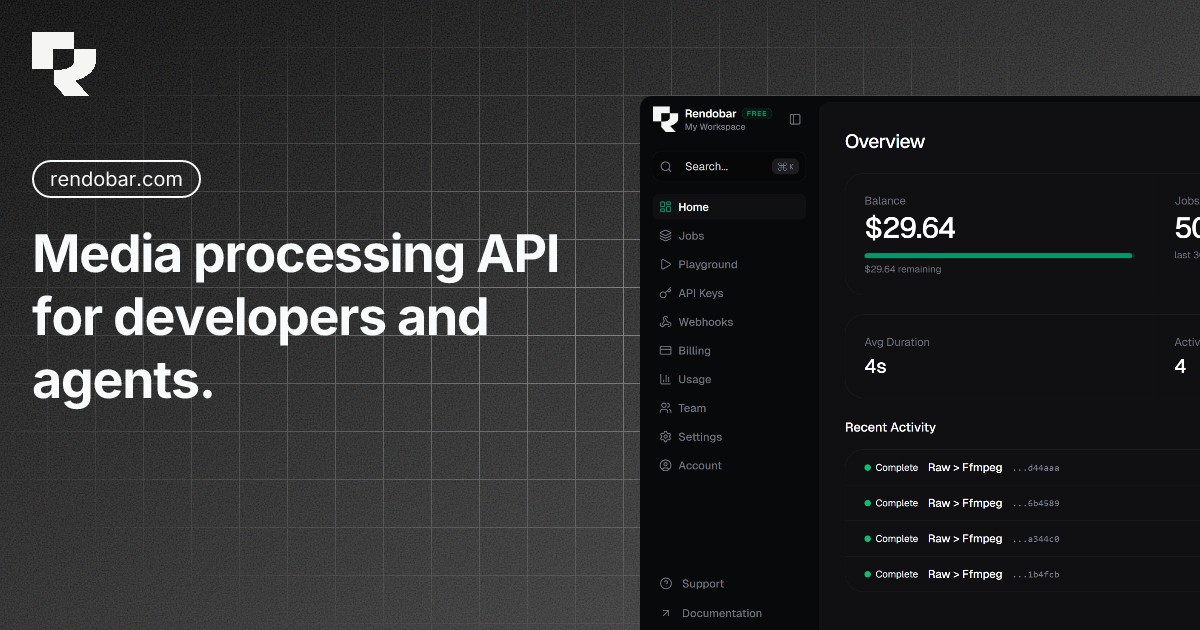
Here’s the short version. Rendobar is the one I would start on, and not only because I build it: it takes the literal command, starts on $5 of credits with no card, and runs a job for up to an hour on the free plan where the two largest rivals stop at a minute. It is also the only one of the eight that ships a typed SDK, a CLI and an agent-callable MCP server together, and the only one whose API runs nine job types rather than FFmpeg alone. If you push large files through and want flat per-gigabyte pricing with up to 32 vCPUs on a single command, Rendi is the real alternative. If you want the whole media layer, uploads through delivery, with a mature template engine, Transloadit is the most complete. If you want predictable per-command billing and do not need long runtimes, RenderIO is the cleanest of that model. If you want to describe the edit in plain English, ffmpeg-api.com leans into that. If your composers aren’t engineers, Shotstack is built for them.
Now the detail.
What “FFmpeg API” actually means
The phrase gets used two ways, and the difference decides most of this comparison.
The literal meaning is a service that runs the exact FFmpeg command for you. You send the command you’d type in a terminal, it runs in the cloud, you get the output. Rendobar, Rendi, ffmpeg-api.com, RenderIO and Very Good FFmpeg work this way.
The looser meaning is any cloud API that does the kind of work FFmpeg does, through the service’s own abstraction. Transloadit, Shotstack and FFmpeg Micro sit here. They are good at video, but you don’t hand them a command line. You learn their format. That’s not a knock, it’s a fork in the road: do you want FFmpeg, or do you want a layer on top of it?
The comparison
| Exact FFmpeg? | Billing unit | Free tier | Agent access | Paid entry | |
|---|---|---|---|---|---|
| Rendobar | Yes | Per minute of compute | $5 credits, no card | Native MCP tools | $9/mo |
| Rendi | Yes | Per GB, from $0.10/GB | 50 GB/mo, card required | Own MCP serves docs | $25/mo |
| RenderIO | Yes | Per command | None, 3-day trial | MCP, 13 tools | $12/mo |
| ffmpeg-api.com | Yes | GB-seconds | Plan exists, quota unstated | AI chat endpoints | $11/mo |
| Very Good FFmpeg | Yes | Not published in served HTML | Not published | Not published | Not published |
| FFmpeg Micro | No (preset endpoints) | Tokens, 3 per 10s input | 200 tokens once, about 33 min | Not published | $19.99/mo |
| ffmpegapi.net | No (task endpoints) | Per API call | 3 calls/mo | Not published | $49/mo |
| Transloadit | No (Assembly DSL) | Per GB, in plus out | 5 GB/mo, output watermarked | Not published | $9/mo |
| Shotstack | No (JSON timeline) | Per minute of output | 10 credits, 30-day expiry | Not published | $39/mo |
Rates and limits are from each provider’s public pages on 2026-09-02, except Transloadit and Shotstack, which were last verified 2026-06-08. Vendors change pricing, so verify before you commit.
The five billing units in that table price an identical workload very differently, sometimes by more than 10x in either direction. FFmpeg API pricing compared works a real 1,770-job workload through all of them, and one competitor comes out at $0 while the per-command plans come out between $12 and $21 a month.
Toolchain and integrations
Price and command support are where these comparisons usually stop. What you actually live with is the wiring: whether there is a client library, whether an agent can drive it, and whether the work you need is on one credential or three.
| Typed SDK | CLI | First-party MCP that runs jobs | Beyond raw FFmpeg | Delivers to your bucket | |
|---|---|---|---|---|---|
| Rendobar | TypeScript, on npm | Yes | Yes, 10 tools over OAuth | 9 job types | Yes: S3 by IAM role or keys, R2, Supabase |
| Rendi | None | No | No, its own MCP serves docs | No | No, outputs stay in Rendi storage |
| RenderIO | None published | No | Yes, 13 tools over OAuth 2.1 | Presets and a file store | No, FFmpeg outputs stay on its R2 |
| Very Good FFmpeg | TypeScript and Python | Not published | Not published | No | Not in its docs |
| Transloadit | Several languages | No | Not published | Whole media layer | Yes, with a key and secret |
A typed TypeScript SDK, a CLI, and a first-party MCP server an agent can submit and poll through are three separate front doors onto the same account, and no other service in this comparison ships all three. RenderIO ships an MCP server as well, with more tools than ours, and it is the only other one here an agent can drive directly. Nobody else ships the SDK and the CLI beside it.
The last column decides where the file ends up. Rendi and RenderIO keep FFmpeg outputs in their own storage and hand you a link. Rendobar reads inputs from a connected bucket and delivers outputs into it, with one webhook event per bucket, and for S3 it connects through an IAM role instead of a stored key. Video APIs that deliver output to your own bucket compares 13 services on that alone.
Job updates arrive over a WebSocket rather than a polling loop, so an agent or a UI learns a job finished without asking for it. There is an n8n node for workflow builders and signed webhooks for everything else.
The larger difference is the last column. Every other FFmpeg-command service here runs FFmpeg and stops. On Rendobar the same API key also runs animated captions, burned-in subtitles, multi-clip composition, compress-to-a-target-size, ffprobe as a first-class job, and image generation, editing and upscaling. Nine active job types, one credential, one billing account. If your product needs two of those, that is the difference between one integration and two vendors.
Rendobar
Best for: developers who already write FFmpeg, want to start without a card, and are wiring video into AI agents.
You send the FFmpeg command you already know. It runs in a sandboxed container, bills per minute of compute, and returns an output URL on a webhook. The free tier is $5 of signup credits with no card and no watermark, so the first videos you make are clean and shippable. Measured across our own last 425 FFmpeg jobs, the median cost was $0.0025 and all 425 were under a cent, which puts that $5 grant at roughly 2,000 short jobs.
The part that is genuinely different is the surface around the API. A typed TypeScript SDK on npm, a CLI, and a first-party MCP server whose tools an agent calls to submit a job, poll it, and fetch the result. RenderIO ships an MCP server too, and Rendi’s own one serves documentation rather than running anything, but no other service here ships all three front doors. Animated captions, burned-in subtitles, multi-clip composition, compress-to-target and image generation, editing and upscaling run on the same API and the same key, and ffprobe is a first-class job type rather than an afterthought.
Limitation: it’s narrow on purpose. No resumable uploads, no document processing, no template engine. Per-minute billing also loses to per-gigabyte billing when you push large files that finish fast, which our own pricing comparison demonstrates against Rendi.
Rendi
Best for: heavy raw-FFmpeg workloads where files are large and you want flat per-gigabyte pricing.
Rendi is the closest competitor to Rendobar. It also runs standard FFmpeg in the cloud, and it bills on the size of the media processed, the sum of input and output, from $0.10 per GB. A single command can grab up to 32 vCPUs, which suits big jobs that should finish fast. The free tier covers 50 GB of monthly processing, which is the largest free allowance in this table by a wide margin.
Limitation: the free tier asks you to verify a credit card with a refundable $5 charge before you process anything, and caps a command at 1 minute of runtime with 4 vCPUs. Its MCP server is a documentation server, so it helps an assistant write your integration code rather than letting an agent run the job. For pure high-volume FFmpeg it’s a serious option, and on small files its free tier is genuinely hard to beat. I wrote a fuller Rendobar vs Rendi breakdown if you’re deciding between these two.
RenderIO
Best for: teams that want a predictable monthly number and short jobs.
RenderIO bills per command. One FFmpeg execution is one command regardless of file size, which makes forecasting trivial: count your operations, pick the tier. Starter is $12/mo for 500 commands, Growth $29/mo for 1,000, Business $99/mo for 20,000, with overage at $0.08, $0.05 and $0.02 per command respectively. Chained commands, webhook notifications and zero egress fees are included on the paid tiers.
Limitation: there is no permanent free tier, only a 3-day trial. And the constraint that bites is not the quota, it’s the runtime ceiling per tier: 1 minute on Starter, 5 on Growth, 20 on Business. A ten-minute transcode forces you onto the $99 plan even if you only run a hundred of them a month. Check your longest job before you check your job count.
ffmpeg-api.com
Best for: people who want to describe an edit in plain English and let an AI build the command.
It runs FFmpeg and adds AI-powered endpoints where you describe what you want and it produces the command, plus an FFmpeg chat to help you write syntax. Pricing is GB-seconds, the Lambda model: Starter $11/mo for 500 GB-seconds, Pro $39/mo for 2,000, Growth $99/mo for 5,000, with parallel job limits of 10, 15 and 25.
Limitation: GB-seconds is the hardest unit here to forecast, because you rarely know your memory footprint before you run the job. Their free plan exists but its quota isn’t stated on the pricing page. If predictable per-job math matters to you, run a real workload on the free plan before you build on it.
FFmpeg Micro
Best for: predictable work on short clips where you want a generous free tier without a card.
FFmpeg Micro meters tokens against input duration, at 3 tokens per 10 seconds of source, measured per second. Free used to be 50 processing minutes a month. As of 2026-09-02 it is a one-time grant of 200 tokens, about 33 minutes of source, with a 100 MB input cap. Starter is $19.99/mo for 2,500 tokens, Pro $49.99/mo for 7,000, and both add organizations, user seats and automatic top-up. Unused grant tokens accumulate up to 3x the monthly grant and purchased tokens don’t expire.
Limitation: it exposes processing endpoints rather than the raw command line, so an existing FFmpeg pipeline has to be translated. Metering on input duration also means a fast stream copy and an expensive two-pass encode of the same source cost exactly the same, which cuts both ways.
ffmpegapi.net
Best for: low-volume work where a flat call count is all the forecasting you need.
It used to be the cheapest paid entry in this comparison at $7/mo. As of 2026-09-02 Premium is $49/mo for 100 API calls, or $40.83 on annual billing, and the free tier is down to 3 calls a month from 10. Its own pricing page does not reconcile: it lists a 1,000-call Ultra tier at an annual rate below Premium’s, and its FAQ still advertises the old 10-call free tier. The homepage runs a guest API key, so you can try it without signing up at all.
Limitation: 100 calls a month is a low ceiling, and the endpoints are task-shaped (merge, concatenate, picture-in-picture) rather than a raw command. At the volumes most production pipelines run, the per-call model gets expensive faster than any other unit here.
Very Good FFmpeg
Best for: unknown, and that’s the finding.
It’s a real competitor in this category, it runs the full FFmpeg surface, it bills per GB, and it offers optional NVIDIA GPU workers. It also publishes comparison content targeting the same queries as everyone else here.
Limitation: we could not read its pricing out of the served HTML, so it is in this list without numbers rather than with guessed ones. If it’s on your shortlist, get a written quote before you commit.
Transloadit
Best for: teams that need the entire media layer, not just transcoding.
Transloadit calls itself the media layer for humans and agents, and it earns the description. Resumable uploads through Uppy, then Robots for image, audio, video, document, and AI steps, chained into one Assembly with delivery at the end. First-party SDKs span ten-plus languages. For an upload-process-deliver product, it’s the most complete option here.
Limitation: you don’t write FFmpeg, you write Assembly Instructions, which is a real DSL to learn. The free Community tier watermarks output, so it’s for evaluation rather than shipping. And production tiers climb quickly once you need overage. My Rendobar vs Transloadit page goes deeper on the DSL tradeoff.
Shotstack
Best for: non-technical composers and template-driven, high-volume personalized video.
Shotstack isn’t an FFmpeg API in the literal sense. You build a JSON timeline and it renders. It ships a white-label editor SDK and managed captions, and its template system is built for producing thousands of personalized videos from data. If the person composing the video is a marketer rather than an engineer, this is the right tool.
Limitation: if you already know FFmpeg, the JSON timeline is a layer you didn’t ask for. Per-minute output pricing starts higher than FFmpeg services, and there’s a monthly base. The Rendobar vs Shotstack comparison covers when each one wins.
How to choose
Answer four questions in order. The order matters, because each one eliminates services the next one would have compared on price.
First, do you want to write FFmpeg or a template language? If FFmpeg, you’re choosing among Rendobar, Rendi, ffmpeg-api.com, RenderIO and Very Good FFmpeg. If you’d rather not see a codec flag, look at Transloadit, Shotstack or FFmpeg Micro.
Second, how long is your longest job? This eliminates more options than price does and almost nobody checks it first. RenderIO caps a command at 1 minute on Starter and 20 minutes on Business. Rendi’s free tier caps at 1 minute and its Pro tiers sell either a 10-minute cap or no cap at all. Rendobar allows 1 hour per job on free and 9 hours on paid. If you transcode long-form video, check the runtime ceiling before you look at the quota.
Third, what shape is your workload? Large files that finish fast favour per-gigabyte pricing like Rendi’s. Many small files favour per-compute or per-GB, and punish per-command. Run your real numbers through the pricing comparison rather than trusting a headline price, because two of these services would run our own 1,770-job workload for nothing and one would charge $25 a month for it.
Fourth, are agents in the picture? If you’re building something that submits and tracks jobs on its own, native MCP tools matter, and that’s where Rendobar is ahead of this field today.
Two companion posts go deeper than this one can. Free FFmpeg API options compared covers what each service lets you do before asking for money, including the two free tiers larger than ours. Video processing API tools compared zooms out past FFmpeg services to timeline APIs, video platforms and batch transcoders, which is the choice that comes before this one.
If you want to try the FFmpeg-plus-MCP path, Rendobar’s FFmpeg API gives you $5 of credits with no card. If your needs point at a competitor above, go use the competitor. The worst outcome is picking the wrong shape of tool and rebuilding in three months.
Frequently asked questions
What is an FFmpeg API?
A service that runs FFmpeg commands on your behalf over HTTP, so you send a command and an input URL and get an output back without installing FFmpeg or running a server. Some services take the literal command, others take their own template format and run FFmpeg behind it.
Which FFmpeg API has the best free tier?
Rendobar's, unless you will hand over a card. Its $5 credit grant needs no card, covers roughly 1,780 jobs at our measured median of $0.0028, and allows 1 hour per job where the two largest rivals stop a command at 1 minute. Rendi's 50 GB a month is the largest raw allowance but requires a card and a refundable $5 hold, and FFmpeg Micro now gives a one-time 200 tokens, about 33 minutes, with a 100 MB input cap.
Why not just run FFmpeg yourself?
You can, and for steady high volume it is cheaper. The binary is about 140 MB unpacked, which does not fit comfortably in most serverless package budgets, and idle servers bill continuously while a per-job API does not.
Do FFmpeg APIs support raw commands?
Five of the eight here do. The rest expose presets or a JSON timeline. If you already know the command you want, a service that accepts arbitrary commands avoids translating your pipeline into someone else's abstraction.
Which FFmpeg API has an SDK, a CLI, or an MCP server?
Rendobar ships all three: a typed TypeScript SDK on npm, a CLI, and a first-party MCP server whose 10 tools an agent uses to submit and poll jobs over OAuth. RenderIO ships a 13-tool MCP server but no SDK or CLI. Very Good FFmpeg ships TypeScript and Python SDKs. Rendi ships neither an SDK nor a CLI, and its own MCP server serves documentation rather than running jobs.
How should I compare FFmpeg APIs?
On billing unit first, since per-GB, per-command, per-token and per-second billing behave very differently as you scale, and then on whether raw commands, long runtimes, GPU encoding and agent access are available.