
Custom fonts in a video API fail silently
Learn why a video API renders the wrong font without an error, how a CSS font stack fixes it, and which of 16 writing systems render with no setup.
 Abdelrahman Essawy 6 MIN READ
When a video API cannot find the font you asked for, it does not fail. The render completes in a substitute typeface, the job reports success, and the only signal is someone noticing that the video looks slightly wrong. The fix is to write every font as a CSS stack and to declare your own font files under a name you choose, and this post shows both as a real request, plus which of 16 writing systems render with no setup.
I found this in Rendobar’s own job records. About two in three text-bearing compose jobs asked for the string "Arial, sans-serif", a perfectly ordinary CSS stack. The resolver at the time read only the first entry, found no Arial on the render image, and handed that name to fontconfig, which substituted something. The sans-serif fallback the author had written was never consulted, and every one of those jobs reported success.
Silent substitution is the expensive failure
A failed render is annoying and cheap. You see the error, fix the input and resubmit. A render that silently substitutes a font is expensive because the feedback loop is broken. The status says complete, the output plays, and the only signal is visual.
Font resolution on Linux goes through fontconfig, whose job is to always return something. Ask for a family it does not have and it returns the closest match it can. That suits a desktop and is wrong for a billed API call, because the caller cannot tell the two outcomes apart.
Raw FFmpeg behaves the same way, and the first version of this post got that wrong. It said a missing font on the FFmpeg path “produces a failed render rather than a silent substitution”. Burning subtitles on FFmpeg 8.0 with force_style='FontName=NoSuchFontXYZ' rendered the file and exited 0. The only trace was one log line, fontselect: (NoSuchFontXYZ, 400, 0) -> ArialMT, 0, ArialMT. A drawtext pointed at a font that does not exist rendered too. On either path, the exit code will not tell you. Search the log for fontselect or look at a frame.
Making fontconfig stricter is not the fix. Deciding the substitution before it happens, and recording it when it does, is. Rendobar now writes a fallback message onto the job whenever a requested font could not be supplied, so a substitution shows up next to the result.
A stack is a failure policy
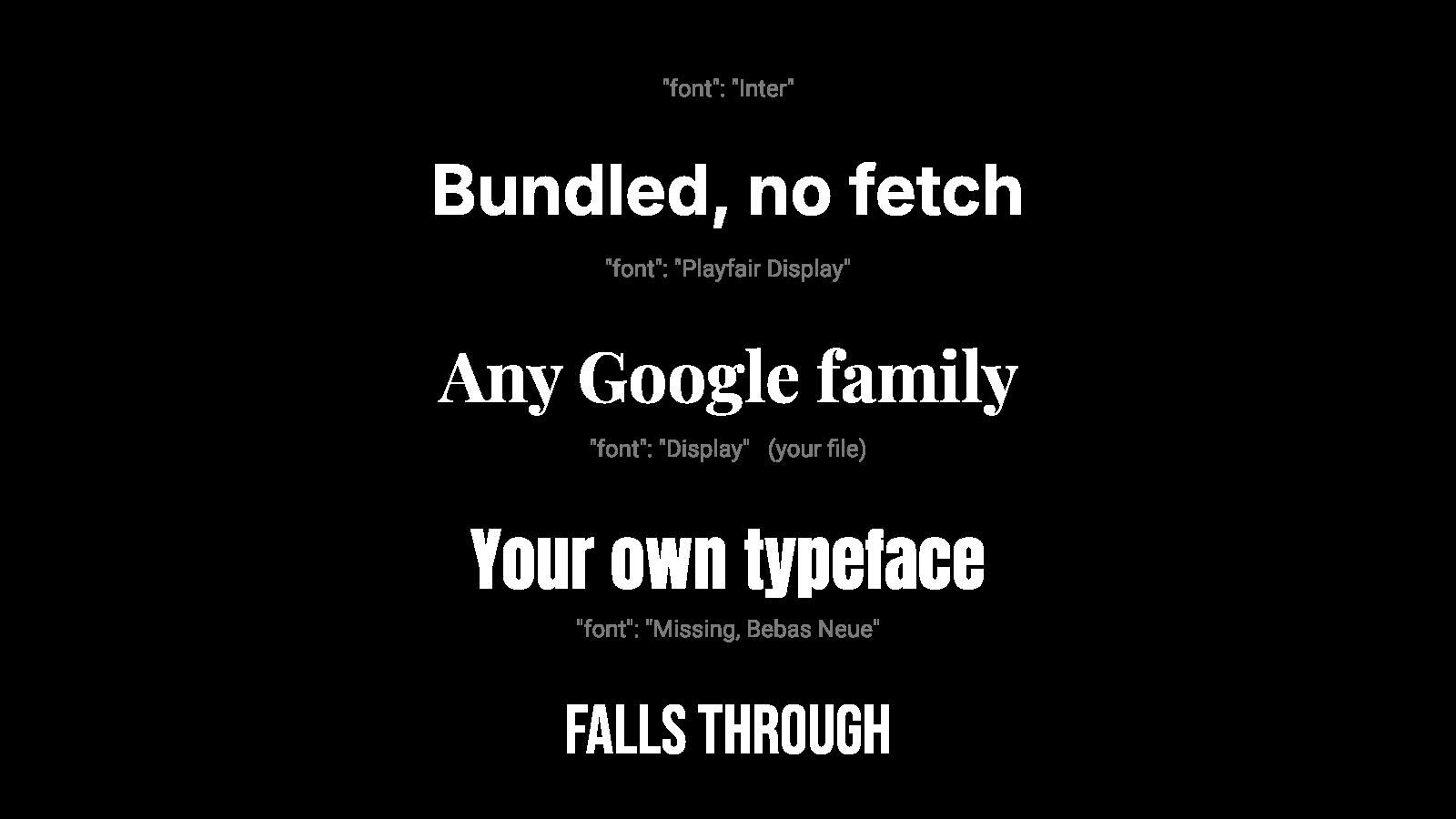
CSS font stacks already encode the right idea. "Display, Playfair Display, Inter, sans-serif" means try these in order and use the first one you can supply, so the author has already said what should happen when the first choice is unavailable.
Honouring that turns three failure modes into one predictable behaviour. A declared font file that cannot be read, a family the catalogue does not publish and a font service that is unreachable all fall through to the next entry, and the render ships in a face the author picked.
The order per entry is a file you declared, then a family bundled into the render image, then a generic keyword such as sans-serif, then any family in the Google Fonts catalogue, fetched at render time. Declaring a font under a name that already exists shadows the built-in, the same thing @font-face does in a browser.
Naming a font you uploaded
A font file has a family name recorded inside it, and that name is often not the filename. Upload BrandSans-Bold.otf and the renderer may only answer to Brand Sans.
Shotstack documents this and warns about it, because you have to reference the embedded name and callers get it wrong. Its custom fonts guide also has you host the TTF yourself, and it takes TTF only. Creatomate takes OTF, TTF and WOFF uploads through its editor or a fonts.add modification. JSON2Video accepts a font URL inline in the font-family value. If your team already builds templates in a visual editor, Creatomate’s upload flow is the more natural fit.
Rendobar takes the other position. You name the file when you declare it in the job’s fonts input, and the renderer keeps the mapping from your name to the one inside the file, so you never open the font in an inspector. This request declares a TTF as Display and puts it at the head of a stack:
import { createClient } from "@rendobar/sdk";
const rb = createClient({ apiKey: process.env.RENDOBAR_API_KEY });
const job = await rb.jobs.run({type: "compose",// Declare the file under a name you choose. Omit "family" to use the// name embedded in the file instead.inputs: {  fonts: [{ family: "Display", src: "https://fonts.gstatic.com/s/lato/v25/S6u9w4BMUTPHh6UVew8.ttf" }],},params: {  schemaVersion: 1,  output: { format: "mp4", size: "1080p" },  timeline: {    tracks: [{      clips: [{        length: 3,        asset: {          type: "text",          text: "Launch day",          // Tried in order. If "Display" cannot be read, the next entry renders.          style: { font: "Display, Playfair Display, Inter, sans-serif", size: 120, color: "#FFFFFF" },        },      }],    }],  },},});
console.log(job.output.file.url);
Install with npm i @rendobar/sdk. jobs.run() submits and waits, so it returns the finished job in one call.
curl -X POST https://api.rendobar.com/jobs \-H "Authorization: Bearer $RENDOBAR_API_KEY" \-H "Content-Type: application/json" \-d '{ "type": "compose", "inputs": { "fonts": [{ "family": "Display", "src": "https://fonts.gstatic.com/s/lato/v25/S6u9w4BMUTPHh6UVew8.ttf" }] }, "params": { "schemaVersion": 1, "output": { "format": "mp4", "size": "1080p" }, "timeline": { "tracks": [{ "clips": [{ "length": 3, "asset": { "type": "text", "text": "Launch day", "style": { "font": "Display, Playfair Display, Inter, sans-serif", "size": 120, "color": "#FFFFFF" } } }] }] } }}'Returns immediately with a job id. Poll GET /jobs/{id} or register a webhook rather than blocking on the request.
One format trap cost a debugging session. fontconfig will index a WOFF2 and report its family name, and the renderer then cannot rasterise from it and substitutes silently. It showed up when a WOFF2 face matched by name and a different typeface came out. WOFF2 is what the web serves, so anyone copying a font URL out of their own site’s CSS hits it. Rendobar decompresses WOFF2 on ingest, and it skips the older WOFF format and records why on the job, so that fall-through is visible.
What renders
All 16 writing systems below went through the compose engine’s single text path in one job, and I checked each line in the output.
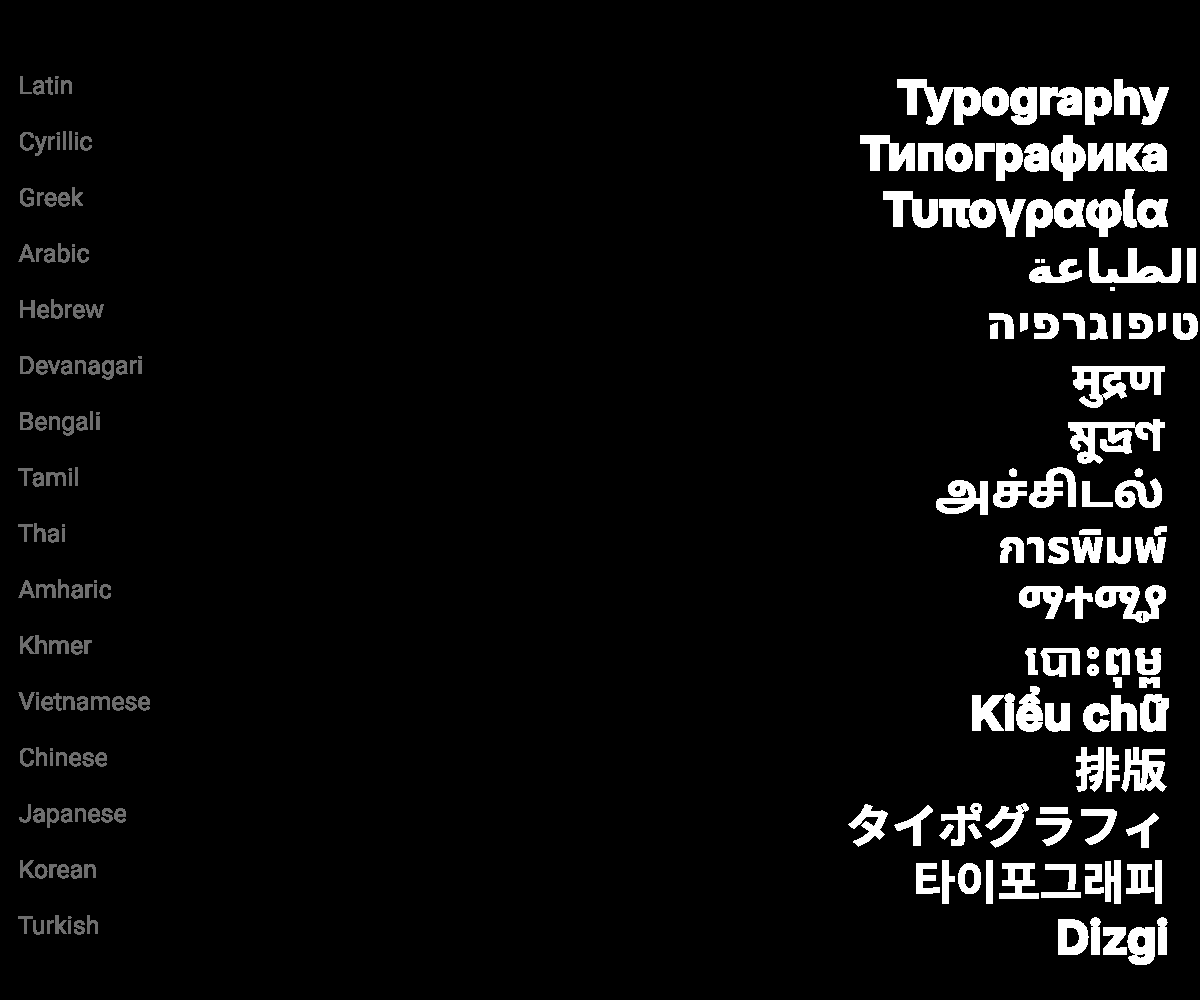
| Writing system | Sample word | Out of the box | Needed |
|---|---|---|---|
| Latin | Typography | Yes | Nothing |
| Cyrillic | Типографика | Yes | Nothing |
| Greek | Τυπογραφία | Yes | Nothing |
| Arabic | الطباعة | Yes, joined right to left | Nothing |
| Hebrew | טיפוגרפיה | Yes, right to left | Nothing |
| Devanagari | मुद्रण | Yes, with conjuncts | Nothing |
| Bengali | মুদ্রণ | Yes | Nothing |
| Tamil | அச்சிடல் | Yes | Nothing |
| Thai | การพิมพ์ | Yes, vowels and tone marks stacked | Nothing |
| Amharic | ማተሚያ | Yes | Nothing |
| Khmer | បោះពុម្ព | Yes | Nothing |
| Vietnamese | Kiểu chữ | Yes, stacked diacritics | Nothing |
| Turkish | Dizgi | Yes | Nothing |
| Chinese | 排版 | No, empty boxes | The Noto CJK font package, now installed |
| Japanese | タイポグラフィ | No, empty boxes | The Noto CJK font package, now installed |
| Korean | 타이포그래피 | No, empty boxes | The Noto CJK font package, now installed |
The shaping in the first 13 rows is harfbuzz doing real work, not glyph substitution. CJK failed visibly, as tofu boxes, which is the better failure mode because you see it on the first frame.
Colour emoji did not render at all. Six attempts: default fallback, a fontconfig rule that made emoji codepoints resolve correctly, the font forced explicitly, the native bitmap strike size, and two other ways the engine draws text. The text path dropped the glyphs every time. That is a limit of the rendering engine, not something a font setting fixes.
These coverage results hold for this image and this build. For Shotstack, Creatomate and JSON2Video I read the documentation and OpenAPI definitions linked below, as of the date this post carries, and did not test their renderers. I do not know whether they handle CJK or drop colour emoji, so this post makes no claim either way.
If I were putting text into video through any API, I would write every font as a stack that ends in a generic family, and read the job’s fallback messages before shipping. Silent substitution is only expensive when nobody looks.
Frequently asked questions
Can I use any Google Font in a video API?
In Rendobar's compose and captions jobs, yes, by name. The family is looked up in the Google Fonts catalogue and fetched at render time. Shotstack does not look families up by name: its custom fonts guide has you download the TTF and host it at a public URL yourself.
Does FFmpeg fail if a subtitle font is missing?
No. libass picks a substitute and the render completes with exit code 0. At the default log level it prints a fontselect line naming the family you asked for and the face it used instead, so search stderr for fontselect.