
image.generate and image.edit
Generate an image from a prompt, or edit one from up to four reference images, on hosted open-weight diffusion models. Both stream preview frames while they render.
Two new job types. image.generate takes a prompt and returns an image. image.edit takes an instruction plus up to 4 reference images. Both run on open-weight diffusion models we host, so there is no third-party image API in the path and no second key to manage.
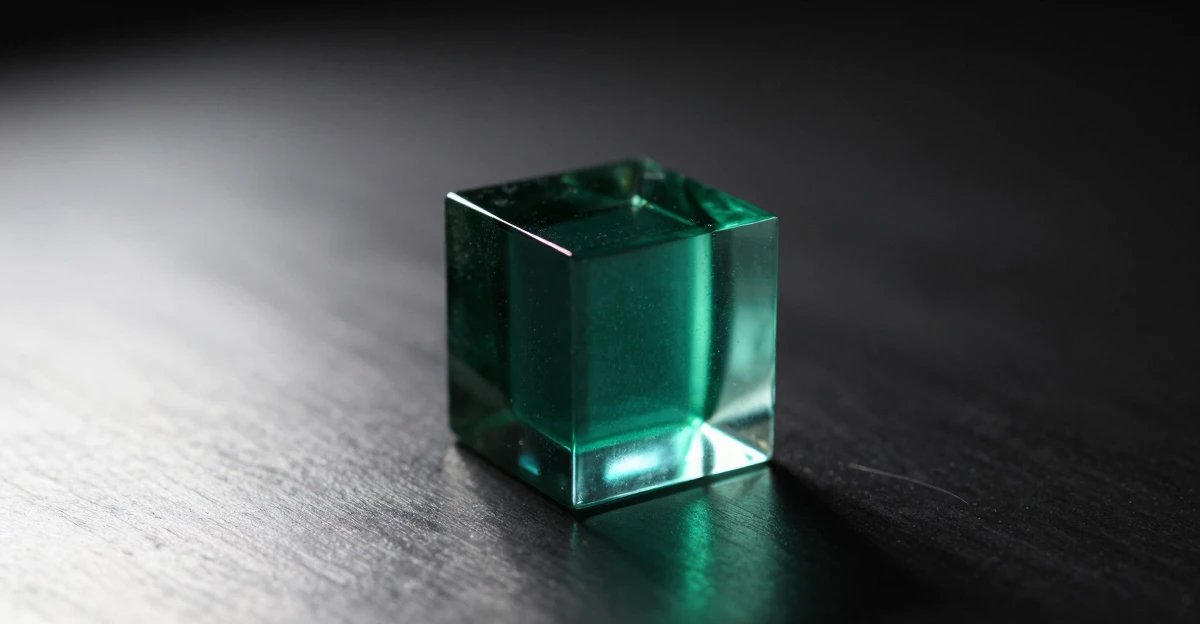
image.generate, model standard. Asked for 1200x630 and got 1200x624, since the requested size is snapped to what the model can render. Prompt: “A dark studio product photograph of a single translucent emerald glass cube resting on brushed dark metal, soft rim light from the left, deep black background, shallow depth of field, high detail”.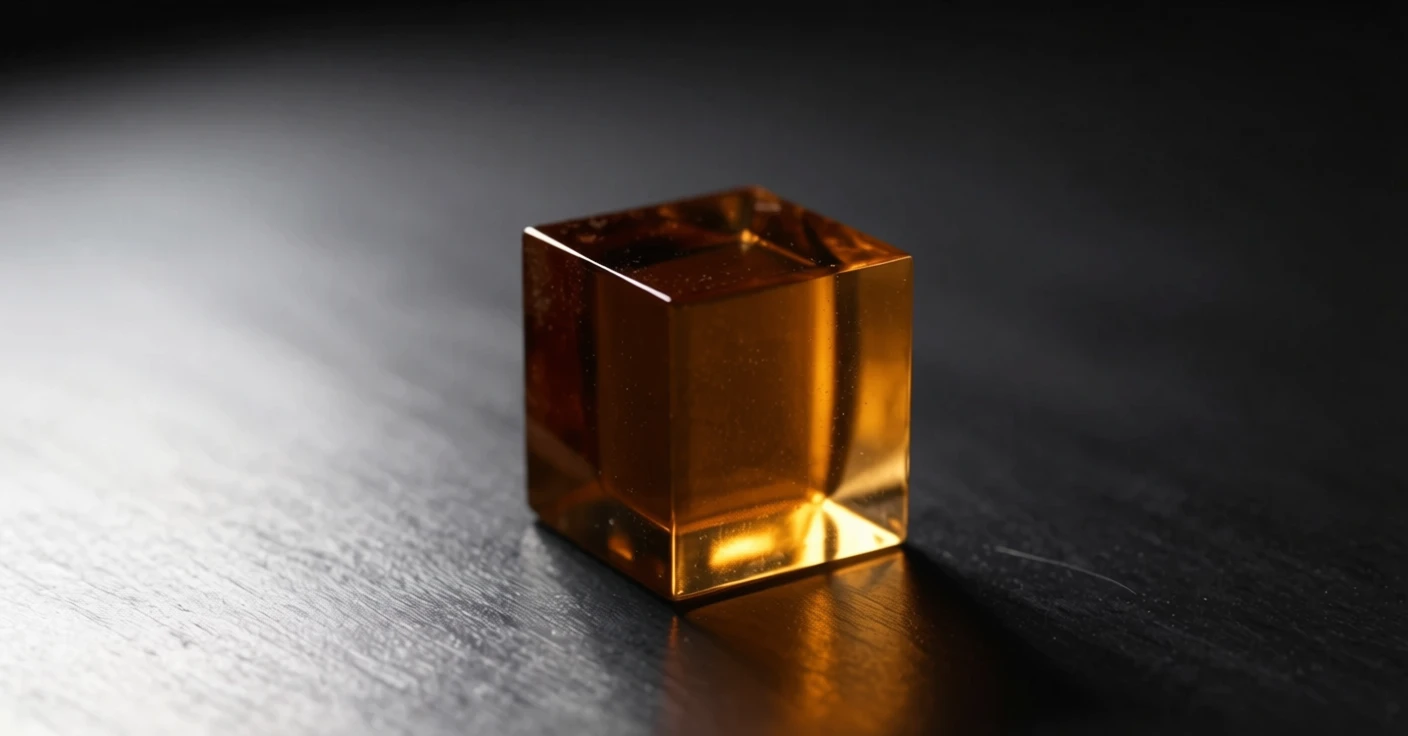
image.edit on the image above, instruction: “Change the glass cube from green to deep amber. Keep the lighting, the shadow, the wood surface, and the camera angle exactly as they are.” The reference was 1200x624 and the result came back 1408x736, since output size snaps to what the model can render.Tiers and pinned models
Ask for a tier and the platform picks the model, or pin an exact model id to reach that model’s own controls. Pinning is what unlocks denoise steps, guidance, and a negative prompt, and only on the models that actually support them. Ask for a tier instead and you get the current best pick at that price point, which means your code does not change when we swap the model underneath.
Streamed previews
Images stream while they render. Both job types emit job.preview events during denoising, each carrying the progress fraction, so a client can show the picture resolving instead of a spinner. The dashboard eases a blur down as frames arrive. The SDK exposes the same stream through onPreview, so the effect is a handful of lines in your own app.
Previews are decoration and never hold up a job. A model without a fast decoder emits none, and few-step models resolve late by nature, so build for zero frames and treat anything you get as a bonus.
Reference for image.generate and image.edit. How tiers and pinned model ids work is covered in the generation guide.