
Add a blurred background to a video with FFmpeg

Split the video in two. Scale one copy to fill the whole frame, crop it and blur it, scale the other to fit, then overlay it in the middle. Name the output size in both scale filters, so a horizontal clip comes out exactly 1080x1920 for Shorts, Reels and TikTok, and a vertical clip exactly 1920x1080.

To 9:16 Re-encode

A landscape video for Shorts, Reels or TikTok.

ffmpeg -i in.mp4 -filter_complex "[0:v]split[a][b];[a]scale=1080:1920:force_original_aspect_ratio=increase,crop=1080:1920,boxblur=40[bg];[b]scale=1080:-2[fg];[bg][fg]overlay=(W-w)/2:(H-h)/2,setsar=1[v]" -map "[v]" -map 0:a -c:v libx264 -crf 20 -c:a copy out.mp4

1080x1920 for Shorts, Reels and TikTok. The 1280x720 clip sits in the middle at 1080x608, with a zoomed, blurred copy of itself in the 656 px above and below.

Frame
1080x1920
Video
1080x608, centred
Run time
3.7 s
Output
6.2 MB
To 16:9 Re-encode

A phone video for YouTube or a landscape player.

ffmpeg -i vertical.mp4 -filter_complex "[0:v]split[a][b];[a]scale=1920:1080:force_original_aspect_ratio=increase,crop=1920:1080,boxblur=40[bg];[b]scale=-2:1080[fg];[bg][fg]overlay=(W-w)/2:(H-h)/2,setsar=1[v]" -map "[v]" -map 0:a -c:v libx264 -crf 20 -c:a copy out.mp4

1920x1080. The 720x1280 phone clip is scaled to 608x1080 in the centre, and the blurred sides are the same clip zoomed to 1920 wide.

Frame
1920x1080
Video
608x1080, centred
Run time
2.7 s
Output
3.7 MB

Proof

Frames from the outputs

Each picture is a frame of a real output, scaled down. in.mp4 is a 1280x720 landscape clip, vertical.mp4 a 720x1280 phone-shaped one.
16:9 to 9:16, boxblur=40 Exact Shorts size
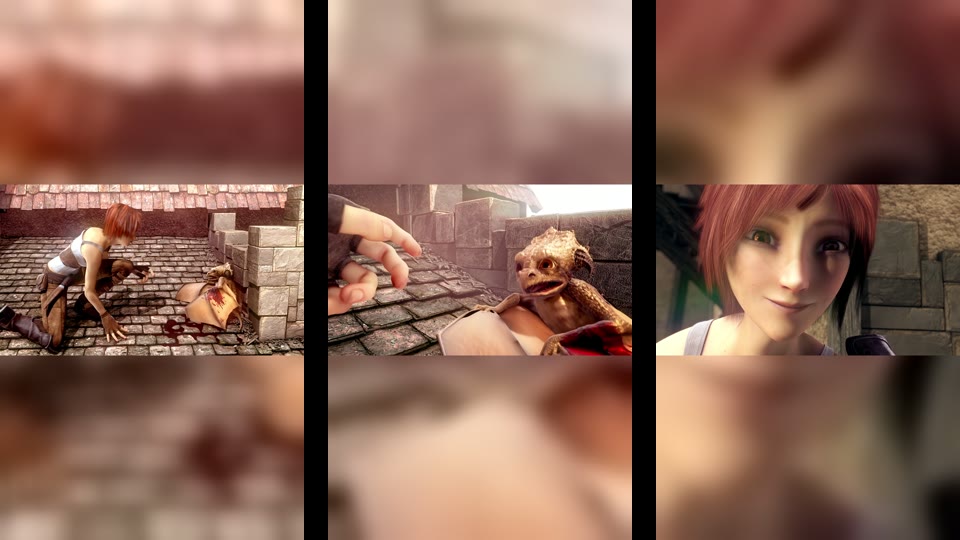
Three 9:16 frames: the girl kneeling on a roof, the baby dragon, the girl smiling, each in a band across the middle with a blurred copy above and below
1080x1920 Three moments of the first command's output. The blur fills 656 px above and below the 1080x608 picture.
9:16 to 16:9, boxblur=40 Blurred sides, no black bars
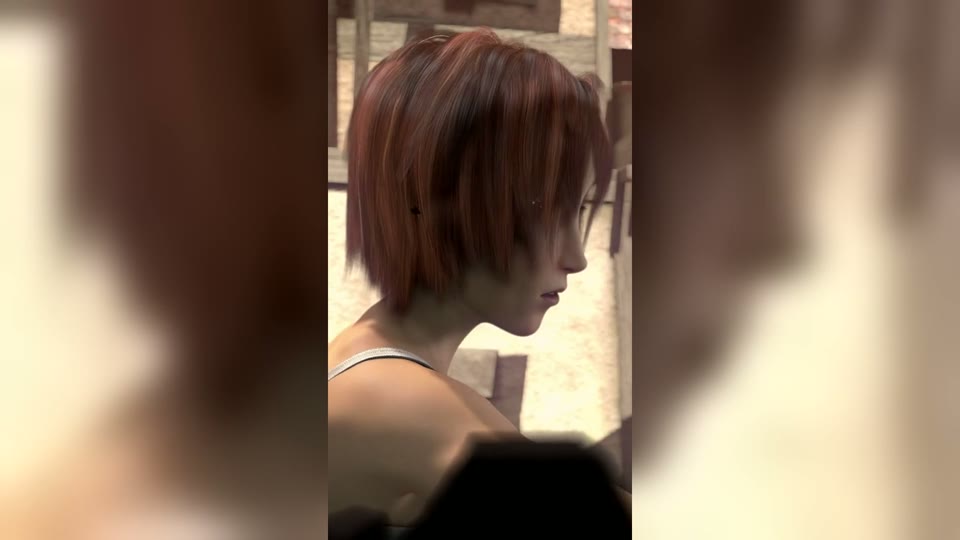
A 16:9 frame with the girl in the alley in a vertical strip in the centre and blurred walls on both sides
1920x1080 The phone clip at 608x1080 in the middle. The sides are the same clip zoomed to fill 1920 wide and blurred.
1:1, crop=1080:1080 Square feed post
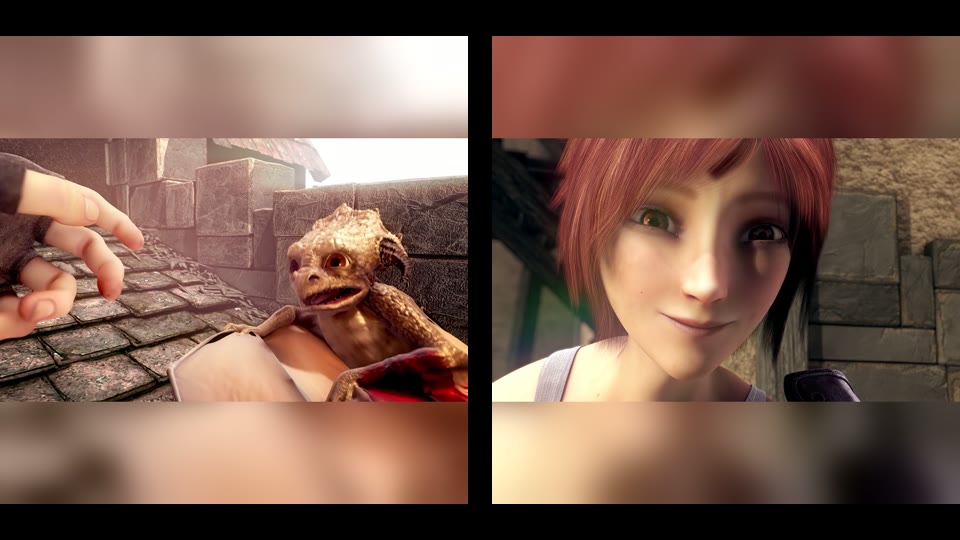
Two square frames: the baby dragon and the girl smiling, each with blurred bands above and below
1080x1080 The same 1080x608 picture with 236 px of blur above and below.
scale=1920*2:1080*2, from Stack Overflow Asked for 16:9, plays as 9:16
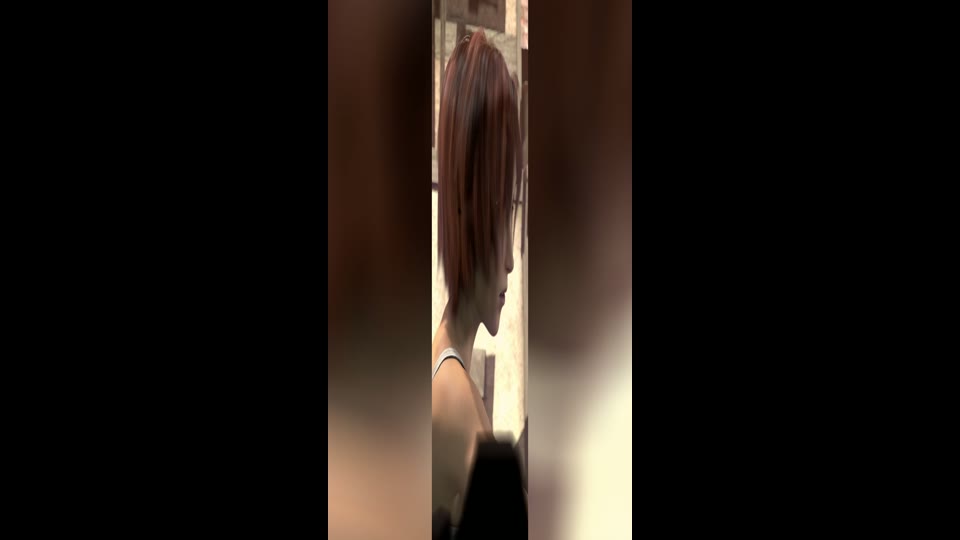
A narrow, squeezed vertical frame of the girl and a blurred background, centred on black
SAR 81:256 A widely copied answer stretches the phone clip to 16:9. FFmpeg records SAR 81:256 to undo the stretch, so a player that applies it shows this.

Footage: Sintel, © Blender Foundation, CC BY 3.0. Cropped to 16:9 and 9:16 by us.

Run it

Run it on Rendobar

Send the same command from your code. The job fetches each input from its URL and returns the output file's URL when it finishes.

job.ts
import { createClient } from "@rendobar/sdk";
const rb = createClient({ apiKey: process.env.RENDOBAR_API_KEY });
const job = await rb.jobs.run({
type: "ffmpeg",
inputs: {
"in.mp4": "https://cdn.rendobar.com/examples/blurred-background-video/in.mp4",
},
params: {
command: "ffmpeg -i in.mp4 -filter_complex \"[0:v]split[a][b];[a]scale=1080:1920:force_original_aspect_ratio=increase,crop=1080:1920,boxblur=40[bg];[b]scale=1080:-2[fg];[bg][fg]overlay=(W-w)/2:(H-h)/2,setsar=1[v]\" -map \"[v]\" -map 0:a -c:v libx264 -crf 20 -c:a copy out.mp4",
},
});
console.log(job.output.file.url);

Install with npm i @rendobar/sdk. jobs.run() submits and waits, so it returns the finished job in one call.

terminal
curl https://api.rendobar.com/jobs \
-H "Authorization: Bearer $RENDOBAR_API_KEY" \
-H "Content-Type: application/json" \
-d '{
"type": "ffmpeg",
"inputs": {
"in.mp4": "https://cdn.rendobar.com/examples/blurred-background-video/in.mp4"
},
"params": {
"command": "ffmpeg -i in.mp4 -filter_complex \"[0:v]split[a][b];[a]scale=1080:1920:force_original_aspect_ratio=increase,crop=1080:1920,boxblur=40[bg];[b]scale=1080:-2[fg];[bg][fg]overlay=(W-w)/2:(H-h)/2,setsar=1[v]\" -map \"[v]\" -map 0:a -c:v libx264 -crf 20 -c:a copy out.mp4"
}
}'

Returns immediately with a job id. Poll GET /jobs/{id} or register a webhook rather than blocking on the request.

Every variant

Pick the command for your case

Each one ran on the same input. The line under it is what came out. Run times are the best of three runs with FFmpeg 8.0 on one desktop machine, so read them as relative.

  1. Make a square video with a blurred background

    Re-encode
    ffmpeg -i in.mp4 -filter_complex "[0:v]split[a][b];[a]scale=1080:1080:force_original_aspect_ratio=increase,crop=1080:1080,boxblur=40[bg];[b]scale=1080:-2[fg];[bg][fg]overlay=(W-w)/2:(H-h)/2,setsar=1[v]" -map "[v]" -map 0:a -c:v libx264 -crf 20 -c:a copy out.mp4

    1080x1080 for a feed post. The 1080x608 picture has 236 px of blurred fill above and below.

    2.1 s run 5.2 MB 12.00 s long

  2. Darken the blurred background

    Re-encode
    ffmpeg -i in.mp4 -filter_complex "[0:v]split[a][b];[a]scale=1080:1920:force_original_aspect_ratio=increase,crop=1080:1920,boxblur=40,eq=brightness=-0.15[bg];[b]scale=1080:-2[fg];[bg][fg]overlay=(W-w)/2:(H-h)/2,setsar=1[v]" -map "[v]" -map 0:a -c:v libx264 -crf 20 -c:a copy out.mp4

    The blurred band's average brightness drops from 130.5 to 88.6 on the 0 to 255 luma scale. eq runs on the background branch only, so the video in the middle is untouched.

    3.6 s run 6.2 MB 12.00 s long

  3. Blur a small copy to save time

    Re-encode
    ffmpeg -i in.mp4 -filter_complex "[0:v]split[a][b];[a]scale=270:480:force_original_aspect_ratio=increase,crop=270:480,boxblur=10,scale=1080:1920[bg];[b]scale=1080:-2[fg];[bg][fg]overlay=(W-w)/2:(H-h)/2,setsar=1[v]" -map "[v]" -map 0:a -c:v libx264 -crf 20 -c:a copy out.mp4

    Blurs a 270x480 copy, 1/16 of the pixels, then scales it up to 1080x1920. Against the full-size boxblur=40, the blurred band scored SSIM 0.997.

    2.6 s run 6.4 MB 12.00 s long

  4. Use black bars instead of blur

    Re-encode
    ffmpeg -i in.mp4 -vf "scale=1080:-2,pad=1080:1920:(ow-iw)/2:(oh-ih)/2:color=black,setsar=1" -c:v libx264 -crf 20 -c:a copy out.mp4

    1080x1920 with the 1080x608 picture centred on black. pad needs no second copy of the video and no -filter_complex.

    1.5 s run 4.7 MB 12.00 s long

  5. Use one command for any input shape

    Re-encode
    ffmpeg -i in.mp4 -filter_complex "[0:v]split[a][b];[a]scale=1080:1920:force_original_aspect_ratio=increase,crop=1080:1920,boxblur=40[bg];[b]scale=1080:1920:force_original_aspect_ratio=decrease:force_divisible_by=2[fg];[bg][fg]overlay=(W-w)/2:(H-h)/2,setsar=1[v]" -map "[v]" -map 0:a -c:v libx264 -crf 20 -c:a copy out.mp4

    On in.mp4 the file is byte for byte the first command's. On vertical.mp4 the clip fills the 1080x1920 frame and no blur shows, so a batch of mixed clips can share it.

    3.6 s run 6.2 MB 12.00 s long

Gotchas

Where it goes wrong

Why is my output 2274x1280 instead of 1920x1080?

The accepted Stack Overflow answer sizes the background from the input with scale=ih*16/9:-1, so the output size follows the input. On the 720x1280 phone clip it wrote a 2274x1280 file:

ffmpeg -i vertical.mp4 -lavfi "[0:v]scale=ih*16/9:-1,boxblur=luma_radius=min(h\,w)/20:luma_power=1:chroma_radius=min(cw\,ch)/20:chroma_power=1[bg];[bg][0:v]overlay=(W-w)/2:(H-h)/2,crop=h=iw*9/16" out.mp4

2274x1280, SAR 9099:9100. For every frame it blurred a 2275x4044 layer, 4.4 times the pixels of a 1920x1080 frame, and then cropped most of it away.

Name the size you want in both scale filters, as the commands at the top do. force_original_aspect_ratio=increase plus crop fills the frame, -2 keeps the video's own shape, and the output is 1920x1080 whatever the input.

Why does my 16:9 video play as a narrow strip?

The background was stretched to the frame with a fixed scale=W:H. FFmpeg then writes a sample aspect ratio (SAR) that undoes the stretch, and players apply it. The second most voted answer does this:

ffmpeg -i vertical.mp4 -lavfi "[0:v]scale=1920*2:1080*2,boxblur=luma_radius=min(h\,w)/20:luma_power=1:chroma_radius=min(cw\,ch)/20:chroma_power=1[bg];[0:v]scale=-1:1080[ov];[bg][ov]overlay=(W-w)/2:(H-h)/2,crop=w=1920:h=1080" out.mp4

1920x1080 pixels with SAR 81:256, which ffprobe reports as display aspect 9:16. The file asks to be shown as a squeezed vertical frame.

Fill the frame with force_original_aspect_ratio=increase and crop, never a bare scale=W:H, and end the chain with setsar=1. Even the right command needs it: without setsar=1 the 9:16 command above wrote SAR 10240:10239, because scale rounded the background's 3413.3 px width to 3413 and recorded the difference.

"Invalid chroma_param radius value": how do I fix it?

boxblur caps the radius at half the smaller side of each plane. In yuv420p video the colour planes are half size, so a small copy hits the cap first:

ffmpeg -i in.mp4 -filter_complex "[0:v]split[a][b];[a]scale=135:240:force_original_aspect_ratio=increase,crop=135:240,boxblur=40,scale=1080:1920[bg];[b]scale=1080:-2[fg];[bg][fg]overlay=(W-w)/2:(H-h)/2,setsar=1[v]" -map "[v]" -map 0:a -c:v libx264 -crf 20 -c:a copy out.mp4

Invalid chroma_param radius value 40, must be >= 0 and <= 33. No output. The colour planes of a 135x240 copy are 67x120.

Scale the radius with the copy. At a quarter of the size, boxblur=10 on a 270x480 copy stays inside the cap and gives the background of boxblur=40 at full size, as the small-copy task shows.

Related: Resize a video, Crop a video, Picture in picture, Stack videos.

Your command. Our infrastructure.

Bring your own commands. Run them on scalable CPU and GPU infrastructure, and pay only for compute time.