Write the files into list.txt as file 'a.mp4' lines and run ffmpeg -f concat -i list.txt -c copy out.mp4. That copies the streams and only works when every clip has the same codec, size, frame rate and audio format. When they differ, use the concat filter and bring every clip to one size, frame rate and sample rate first.
FastStream copy
Every clip came from the same camera or the same encoder settings. Nothing is re-encoded.
ffmpeg-fconcat-ilist.txt-ccopyout.mp4
a.mp4 then b.mp4, 20.02 s, both streams copied. The output is 920 bytes smaller than the two inputs together.
Length
20.02 s from two 10 s clips
Quality
Identical to the inputs, streams copied
Run time
98 ms
Output
5.9 MB
Any inputsRe-encode
The clips differ in size, frame rate, sample rate or channels. Re-encodes everything.
17.5 sFrames after 0:10 are 720x1280 inside a track that declares 1280x546, drawn here at the declared size. The file claims 17.5 s for 14 s of footage and its audio stops at 12.9 s.
xfade + acrossfadeBlended over 1 s
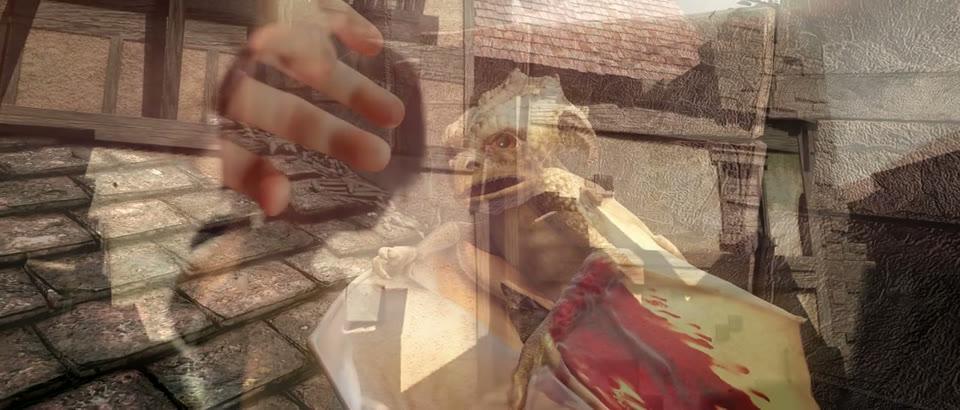
0:09.5The middle of the crossfade task below. Both clips are on screen at half strength.
Returns immediately with a job id. Poll GET /jobs/{id} or register a webhook rather than blocking on the request.
Every variant
Pick the command for your case
Each one ran on the same input. The line under it is what came out. Run times are the best of three runs with FFmpeg 8.0 on one desktop machine, so read them as relative.
20.0 s with sound for the first 10 s and silence for the second. anullsrc stands in for the missing track, cut to the silent clip's 10 s.
1.9 s run5.9 MB20.01 s long
Join only the audio of the clips
Stream copy
ffmpeg-fconcat-ilist.txt-vn-c:acopyout.m4a
20.02 s of AAC from both files, copied, no video.
92 ms run325 KB20.02 s long
Gotchas
Where it goes wrong
Why does concat say "Unsafe file name"?
The concat demuxer rejects any path in the list that starts with / or ., or holds a character other than letters, digits, _, -, . and /. Spaces, drive letters, absolute paths and URLs all count. So does the ./ that find . puts in front of every name:
ffmpeg-fconcat-ilist-find.txt-ccopyout.mp4
Unsafe file name './a.mp4', then "Error opening input: Operation not permitted". No output.
Add -safe 0 before -i to accept any path. The same list then joined into a 20.02 s file. Or write plain relative names, as in list.txt, and leave the check on.
Can I join clips of different sizes or frame rates with -c copy?
No. The concat demuxer does not check, so it gives you a file instead of an error. Joining a.mp4 (1280x546, 24 fps, 48 kHz stereo) with phone.mp4 (720x1280, 30 fps, 44.1 kHz mono):
ffmpeg-fconcat-ilist-mixed.txt-ccopyout.mp4
Exit code 0 and a run of "Non-monotonic DTS" warnings. The file claims 17.5 s for 14 s of footage, the audio stops at 12.9 s, and the vertical frames sit in a track that says 1280x546.
Re-encode with the concat filter instead, after bringing every clip to the first one's size, frame rate, sample rate and channel layout. That is the second command at the top of this page.
"Input link parameters do not match": what does concat want?
The concat filter needs every video input at the same size and sample aspect ratio. Feed it the raw clips and it stops before writing a frame:
Input link in0:v0 parameters (size 720x1280, SAR 1:1) do not match the corresponding output link in0:v0 parameters (1280x546, SAR 1:1).
Same size is not enough. scale adjusts the sample aspect ratio to keep the shape, so a scaled clip can come out at 1280x546 with a SAR like 2457:2456 and fail the same way. That is why the command at the top ends the chain with setsar=1.
Does the concat: protocol work with MP4?
No, and it fails quietly. concat: glues the files byte for byte, which suits MPEG-TS but not MP4, where each file carries its own index.
ffmpeg-i"concat:a.mp4|b.mp4"-ccopyout.mp4
Exit code 0 and a 10.0 s file: a.mp4 only. b.mp4 was dropped without a warning.
For MP4 files, use the concat demuxer with a list file, or the concat filter.