


Create a blank video with FFmpeg

Use -f lavfi -i color=c=black:s=1920x1080:r=30 for the picture, -f lavfi -i anullsrc for silent audio and -t for the length. To join the black to a video, draw it over that video instead, so the size, frame rate and audio format match. Every command below was run and its output measured.

Black Re-encode

Black with silent audio at any size, frame rate and length you type.

ffmpeg -f lavfi -i color=c=black:s=1920x1080:r=30 -f lavfi -i anullsrc=r=48000:cl=stereo -t 10 -c:v libx264 -c:a aac out.mp4

10.0 s of black at 1920x1080 and 30 fps, 300 frames, with a silent stereo AAC track that measures -91 dB, the floor of the meter. -t 10 ends both sources.

Video
1920x1080, 30 fps, 300 frames
Audio
Silent stereo AAC, 48 kHz
Run time
636 ms
Output
38 KB
Matching Re-encode

Black that joins another video, with its size, frame rate and audio format.

ffmpeg -i in.mp4 -t 5 -vf "drawbox=c=black:t=fill" -af "volume=0" out.mp4

5.0 s of black at in.mp4's 1280x546 and 24 fps, 120 frames, with 48 kHz stereo silence. Joined after in.mp4 with the concat demuxer and -c copy, it played on to 15.0 s with picture and sound in step.

Matches
1280x546, 24 fps, 48 kHz stereo
Joined with -c copy
15.0 s, in step
Run time
413 ms
Output
11 KB

Proof

What the generators draw

Frames from the outputs of the commands below.
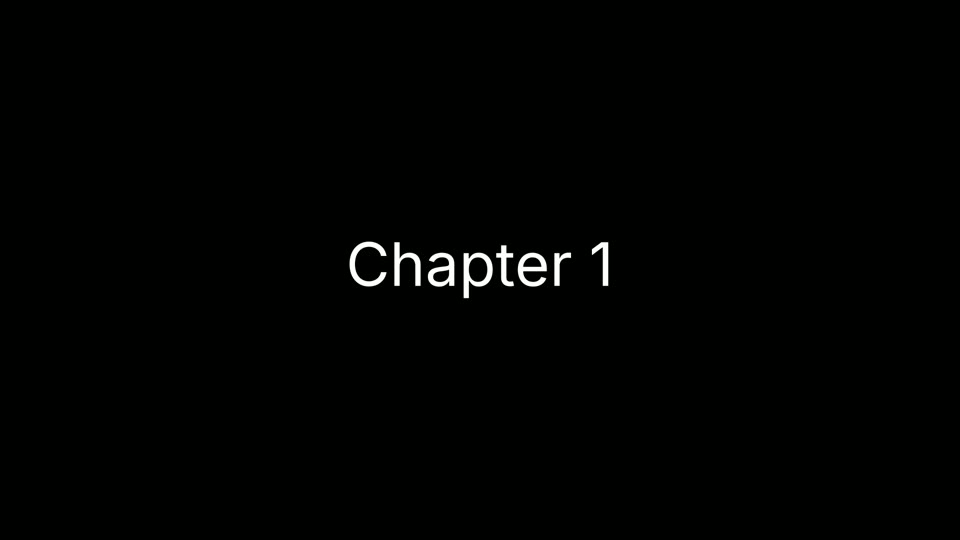
color + drawtext, title card Font loaded from Inter.ttf
The words Chapter 1 in white Inter, centered on a black 1920x1080 frame
25 KB 5 s of black with centered text and silent audio. A frame that never changes costs almost nothing to store.
smptehdbars + sine=f=1000 Bars and a 1 kHz tone
SMPTE HD colour bars: grey, white, yellow, cyan, green, magenta, red and blue bars over a black and white strip
The HD colour bar layout at 1920x1080, with a 1 kHz tone on the audio track.
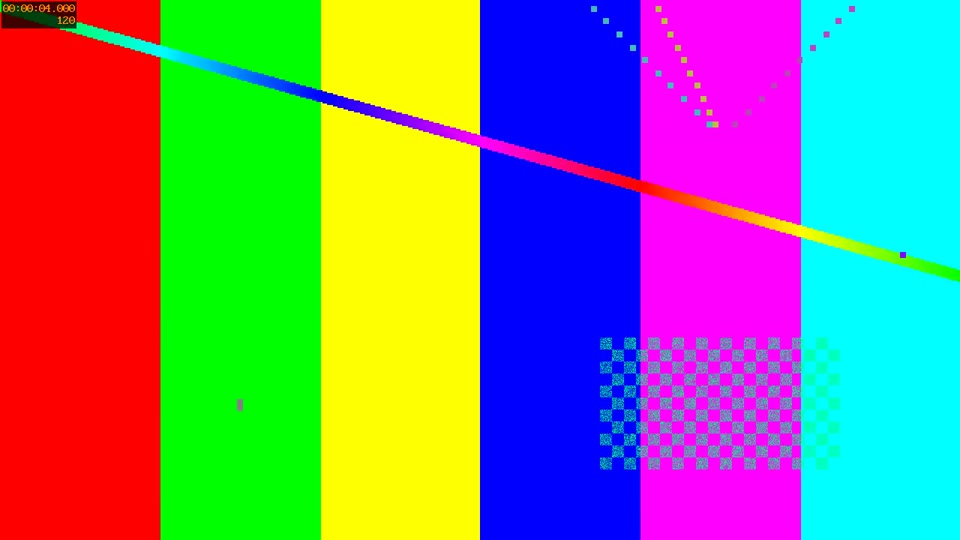
testsrc2, at 4.0 s Timestamp and frame count drawn in
testsrc2 pattern: six colour bars crossed by a rainbow line, a checkerboard, and a timestamp of 00:00:04.000 with frame 120 in the corner
frame 120 The corner reads 00:00:04.000 and 120, so any frame tells you where it came from. The line and the dots move.
nullsrc + geq=random(1)*255 52.4 MB for 5 seconds
Full-frame grey static, every pixel a random brightness
52.4 MB Random pixels cannot be compressed. The same 5 s at 1280x720 in solid green was 9,502 bytes.
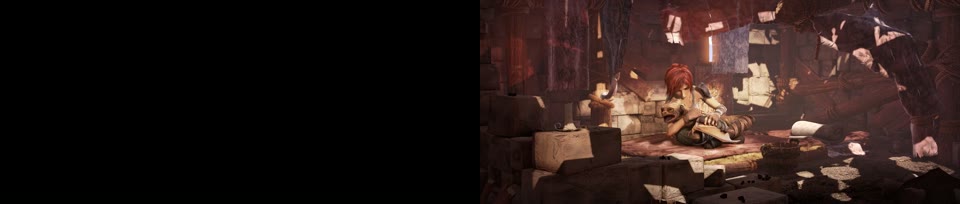
tpad=start_duration=2, at 1.9 s and 2.0 s Black until 2.0 s, then the video
Left, a black frame at 1.9 s. Right, the first frame of the Sintel clip at 2.0 s, the girl sitting with the dragon in a cluttered hut
The first 48 frames are black. The sound is delayed by the same 2 s, so it starts with the picture.

Footage: Sintel, © Blender Foundation, CC BY 3.0.

Run it

Run it on Rendobar

Send the same command from your code. The job fetches each input from its URL and returns the output file's URL when it finishes.

job.ts
import { createClient } from "@rendobar/sdk";
const rb = createClient({ apiKey: process.env.RENDOBAR_API_KEY });
const job = await rb.jobs.run({
type: "ffmpeg",
inputs: {
"in.mp4": "https://cdn.rendobar.com/examples/create-blank-video/in.mp4",
},
params: {
command: "ffmpeg -i in.mp4 -t 5 -vf \"drawbox=c=black:t=fill\" -af \"volume=0\" out.mp4",
},
});
console.log(job.output.file.url);

Install with npm i @rendobar/sdk. jobs.run() submits and waits, so it returns the finished job in one call.

terminal
curl https://api.rendobar.com/jobs \
-H "Authorization: Bearer $RENDOBAR_API_KEY" \
-H "Content-Type: application/json" \
-d '{
"type": "ffmpeg",
"inputs": {
"in.mp4": "https://cdn.rendobar.com/examples/create-blank-video/in.mp4"
},
"params": {
"command": "ffmpeg -i in.mp4 -t 5 -vf \"drawbox=c=black:t=fill\" -af \"volume=0\" out.mp4"
}
}'

Returns immediately with a job id. Poll GET /jobs/{id} or register a webhook rather than blocking on the request.

Every variant

Pick the command for your case

Each one ran on the same input. The line under it is what came out. Run times are the best of three runs with FFmpeg 8.0 on one desktop machine, so read them as relative.

  1. Make a solid colour video

    Re-encode
    ffmpeg -f lavfi -i color=c=0x10b981:s=1280x720:r=30:d=5 -c:v libx264 out.mp4

    5.0 s of solid green at 1280x720, 150 frames. c takes a name like black or a hex value. d sets the length, so no -t is needed.

    216 ms run 10 KB 5.00 s long

  2. Add a silent audio track to a video

    Re-encode
    ffmpeg -i mute.mp4 -f lavfi -i anullsrc=r=48000:cl=stereo -c:v copy -c:a aac -shortest out.mp4

    The video is copied untouched and a silent stereo track is added. -shortest ended the file with the video: 10.0 s of video, 9.984 s of audio.

    100 ms run 3.9 MB 10.00 s long

  3. Create a silent MP3

    Re-encode
    ffmpeg -f lavfi -i anullsrc=r=44100:cl=mono -t 10 -c:a libmp3lame -b:a 32k out.mp3

    10.0 s of mono silence at 32 kb/s, 40,350 bytes. Change -t for the length and cl=stereo for two channels.

    79 ms run 40 KB 10.00 s long

  4. Make a test pattern video

    Re-encode
    ffmpeg -f lavfi -i testsrc2=s=1280x720:r=30:d=10 -c:v libx264 out.mp4

    300 frames of moving bars with the time and frame number drawn in a corner. testsrc2 comes out as yuv420p, so it plays without -pix_fmt.

    701 ms run 3.9 MB 10.00 s long

  5. Make colour bars with a 1 kHz tone

    Re-encode
    ffmpeg -f lavfi -i smptehdbars=s=1920x1080:r=30:d=10 -f lavfi -i sine=f=1000:r=48000:d=10 -c:v libx264 -c:a aac out.mp4

    10.0 s of HD colour bars and a 1 kHz tone. The tone is mono and peaks at -13.2 dB.

    620 ms run 128 KB 10.00 s long

  6. Make a title card with text

    Re-encode
    ffmpeg -f lavfi -i color=c=black:s=1920x1080:r=30:d=5 -f lavfi -i anullsrc=r=48000:cl=stereo -vf "drawtext=fontfile=Inter.ttf:text='Chapter 1':fontsize=120:fontcolor=white:x=(w-tw)/2:y=(h-th)/2" -t 5 -c:v libx264 -c:a aac out.mp4

    "Chapter 1" in 120 px white Inter, centered on black, 5.0 s with a silent stereo track. The font is a file next to the command, so it renders the same on any machine.

    399 ms run 25 KB 5.00 s long

  7. Add black seconds before a video

    Re-encode
    ffmpeg -i in.mp4 -vf "tpad=start_duration=2:color=black" -af "adelay=2s:all=1" -c:v libx264 -crf 20 -c:a aac out.mp4

    2 s of black, then the 10 s clip: 12.0 s. The first 48 frames are black and the audio is silent until 2.0 s, then both start together.

    959 ms run 3.9 MB 12.00 s long

  8. Make TV static

    Re-encode
    ffmpeg -f lavfi -i nullsrc=s=1280x720:r=30:d=5 -f lavfi -i anoisesrc=r=48000:a=0.1:d=5 -vf "geq=random(1)*255:128:128" -c:v libx264 -c:a aac out.mp4

    5.0 s of grey static with white noise. Random pixels do not compress: 52.4 MB, 5,517 times the size of the 5 s green clip at the same size.

    2.8 s run 52.4 MB 5.00 s long

Gotchas

Where it goes wrong

Why won't my FFmpeg test pattern video play?

You probably used testsrc. On FFmpeg 8.0 it still comes out in 4:4:4 colour, and libx264 keeps it, so the file needs a decoder for the High 4:4:4 profile:

ffmpeg -f lavfi -i testsrc=s=1280x720:r=30:d=5 out.mp4

ffprobe reports yuv444p and profile High 4:4:4 Predictive.

Add -pix_fmt yuv420p, or use testsrc2. testsrc2, color, smptehdbars and nullsrc with geq all came out as yuv420p and profile High with no flag, which is why the commands above leave it out.

Why does my command never finish?

A lavfi source has no end unless you give it one. Add silent audio without -shortest or -t and FFmpeg keeps writing silence after the video stops:

ffmpeg -i mute.mp4 -f lavfi -i anullsrc=r=48000:cl=stereo -c:v copy -c:a aac out.mp4

We stopped it with q after a few seconds. The file held 10.0 s of video and 895.9 s of silent audio.

Give every source an end: d= on the source, -t on the output, or -shortest to stop with the shortest stream. With -shortest the same command ended at 10.0 s.

Why does my black clip break concat?

Joining with -c copy only works when the clips match: size, frame rate, timebase, audio rate and channels. The first answer's 1920x1080, 30 fps black clip, joined after the 1280x546, 24 fps in.mp4 with a list.txt that names both:

ffmpeg -f concat -i list.txt -c copy out.mp4

25.0 s of video against 20.0 s of audio, and the frames switch to 1920x1080 halfway through a file whose header says 1280x546.

Make the black from the video itself, as in the second answer. drawbox keeps every property of in.mp4 and volume=0 keeps its audio format. That clip joined with -c copy and ran 15.0 s with picture and sound in step.

Related: Merge videos, Add text to a video, Remove audio, Image and audio to video, Fade in and out.

Your command. Our infrastructure.

Bring your own commands. Run them on scalable CPU and GPU infrastructure, and pay only for compute time.