Run ffmpeg -i in.mkv -map 0:s:0 -c copy out.srt to extract the first subtitle track from an MKV as an SRT file. 0:s:0 counts subtitle tracks only, from zero, and -c copy writes the cues unchanged. Leave out -c copy when the format changes: an MP4's mov_text track, or output to WebVTT or ASS.
First trackStream copy
The file has one subtitle track, or you already know which one you want.
ffmpeg-iin.mkv-map0:s:0-ccopyout.srt
All 13 English cues, 0:00.000 to 1:54.250. The file is byte for byte the SRT that went into the MKV.
Cues
13 of 13
Against the source SRT
byte for byte
Run time
71 ms
Output
1 KB
By languageStream copy
The file has several languages and you want one by its tag, wherever it sits.
ffmpeg-iin.mkv-map0:s:m:language:spa-ccopyout.srt
The Spanish track, 13 cues in UTF-8, picked by its spa tag. It is the same file -map 0:3 gives, without looking up where the track sits.
Picked
track 0:3, spa
Cues
13 of 13
Run time
68 ms
Output
1 KB
Proof
The extracted files, drawn back on the film
Each extracted file was drawn onto the video with FFmpeg's subtitles filter at the time its cue says, to show the text and the timing survived.
-map 0:s:0 -c copy out.srtRight words at the right time
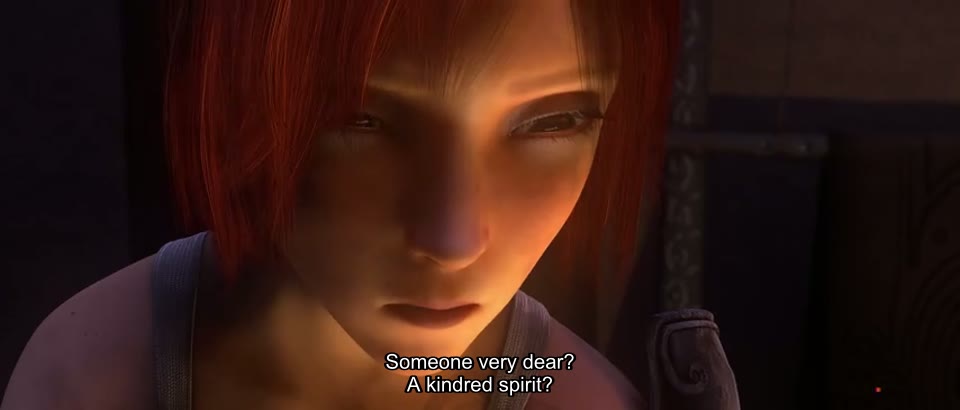
0:22Cue 7, timed 0:20.000 to 0:24.200 in the extracted file, on the frame at 0:22.
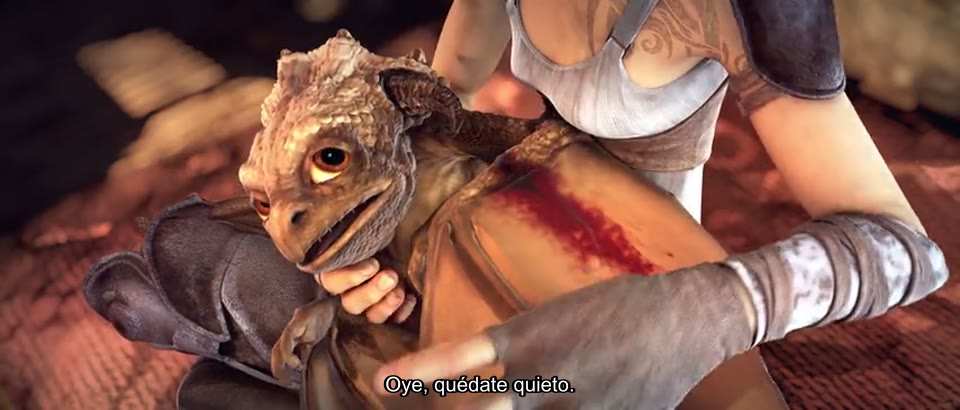
1:34Cue 12 of the Spanish test track. The é in quédate came through as written.
ASS track copied vs SRT track convertedCopy keeps the styling
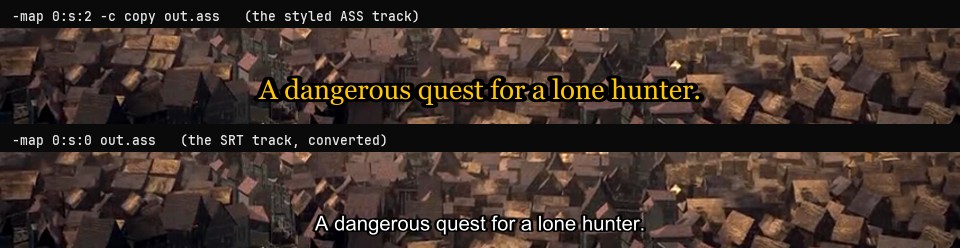
0:32Copying the ASS track keeps its Georgia 22, gold, 2 px outline. Converting the SRT track to ASS gives FFmpeg's default style, Arial 16 in white.
out.srt, out.vtt, out.assSame cues, three formats
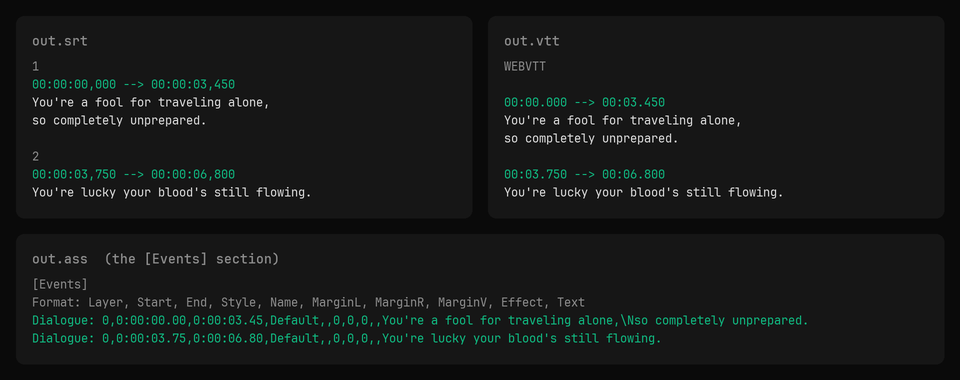
13 cuesSRT numbers each cue and uses a comma before the milliseconds. WebVTT starts with WEBVTT and uses a dot. ASS writes one Dialogue line per cue, in hundredths of a second.
Returns immediately with a job id. Poll GET /jobs/{id} or register a webhook rather than blocking on the request.
Every variant
Pick the command for your case
Each one ran on the same input. The line under it is what came out. Run times are the best of three runs with FFmpeg 8.0 on one desktop machine, so read them as relative.
Three lines, one per track: 2,subrip,eng,English, 3,subrip,spa,Spanish (test track), 4,ass,eng,English (styled). The first number is the stream index -map 0:2 takes.
67 ms run
Extract subtitles from an MP4 to SRT
Re-encode
ffmpeg-iin.mp4-map0:s:0out.srt
13 cues, byte for byte the source SRT. The MP4 stores them as mov_text, so FFmpeg converts them, which is why there is no -c copy.
67 ms run1 KB
Extract subtitles to WebVTT (.vtt)
Re-encode
ffmpeg-iin.mkv-map0:s:0out.vtt
A WEBVTT file with all 13 cues, 101 bytes smaller than the SRT because WebVTT drops the cue numbers and the hours when they are zero.
71 ms run1 KB
Extract an ASS track and keep its styling
Stream copy
ffmpeg-iin.mkv-map0:s:2-ccopyout.ass
13 Dialogue lines and the track's own Style: Default,Georgia,22 line, unchanged. Converting this track to SRT instead turns the style into font tags on every cue.
82 ms run2 KB
Convert an SRT track to ASS
Re-encode
ffmpeg-iin.mkv-map0:s:0out.ass
13 Dialogue lines under FFmpeg's default style, Arial 16 in white. Restyle every cue at once by editing that one Style: line.
eng.srt, spa.srt and eng.ass from one read of the file. Each -map applies to the output named after it. -map 0:s out_%d.srt does not do this: it fails with "srt muxer does not support more than one stream of type subtitle".
71 ms run3 KB
Extract all subtitle tracks into one file
Stream copy
ffmpeg-iin.mkv-map0:s-ccopysubs.mkv
A 4 KB MKV with only the three subtitle tracks, their language and title tags kept. Name it .mkv: FFmpeg 8.0 stops on subs.mks with "Unable to choose an output format".
71 ms run4 KB114.25 s long
Convert an SRT file to WebVTT
Re-encode
ffmpeg-isubs.srtsubs.vtt
13 cues in WebVTT, identical to the file extracted straight from the MKV to .vtt.
67 ms run1 KB
Gotchas
Where it goes wrong
Why does -c copy fail on an MP4's subtitles?
MP4 stores text subtitles as mov_text, and an .srt file can only hold SRT. A copy would put mov_text in an SRT file, so FFmpeg refuses:
ffmpeg-iin.mp4-map0:s:0-ccopyout.srt
"Unsupported subtitles codec: mov_text", then "Could not write header". The out.srt it leaves behind is empty.
Drop -c copy and FFmpeg converts the cues. From our MP4 that gave an SRT identical, byte for byte, to the one we muxed in. The same goes for any change of format: SRT to WebVTT, SRT to ASS, ASS to SRT.
-map 0:s:1 or -map 0:3, which number picks the track?
Both work, counted differently. 0:3 is the stream index, counting video and audio too, the number ffprobe prints. 0:s:1 counts subtitle tracks only. In our MKV the Spanish track is 0:3 and 0:s:1, and both gave the same file.
Mix them up and the map points past the last track. Taking ffprobe's 3 as a subtitle number:
ffmpeg-iin.mkv-map0:s:3-ccopyout.srt
"Stream map '' matches no streams", and nothing is written. The MKV has three subtitle tracks, 0:s:0 to 0:s:2.
A language tag avoids the counting: -map 0:s:m:language:spa. When two tracks share the tag, as our English SRT and English ASS do, language:eng maps both and the SRT output fails with "srt muxer does not support more than one stream of type subtitle". Use the index then.
Why are lines missing after converting an SRT?
The file is not UTF-8. FFmpeg reads text subtitles as UTF-8 and silently skips every cue it cannot decode, with exit code 0. Our Latin-1 copy of the Spanish track:
ffmpeg-ilatin1.srtout.vtt
7 of 13 cues written. All six cues with á, é, ó or ¿ are gone, and the log says "Invalid UTF-8 in decoded subtitles text; maybe missing -sub_charenc option".
Name the encoding before -i:
ffmpeg-sub_charencISO-8859-1-ilatin1.srtout.vtt
13 of 13 cues, written as UTF-8 with every accent in place.
Can FFmpeg turn PGS or DVD subtitles into SRT?
No. PGS (Blu-ray) and VobSub (DVD) tracks are pictures of text, and FFmpeg converts subtitles text to text or picture to picture, never across. It says so when asked for the other direction, a text track into the DVD picture format:
ffmpeg-iin.mkv-map0:s:0-c:sdvdsubout.mkv
"Subtitle encoding currently only possible from text to text or bitmap to bitmap". Nothing is written.