

The verified Rendobar node runs video and image jobs inside n8n workflows.
Before you start
- A Rendobar API key. Create one on the API Keys page of the dashboard.
- n8n Cloud, or self-hosted n8n 1.94.0 or later.
- On self-hosted n8n, a public HTTPS address, so the trigger node and the Wait node can receive Rendobar’s calls. See Start a workflow when a job ends.
Install on n8n Cloud
Open the nodes panel
Search for Rendobar
Rendobar. It’s listed under More from the community with a verified badge.Install
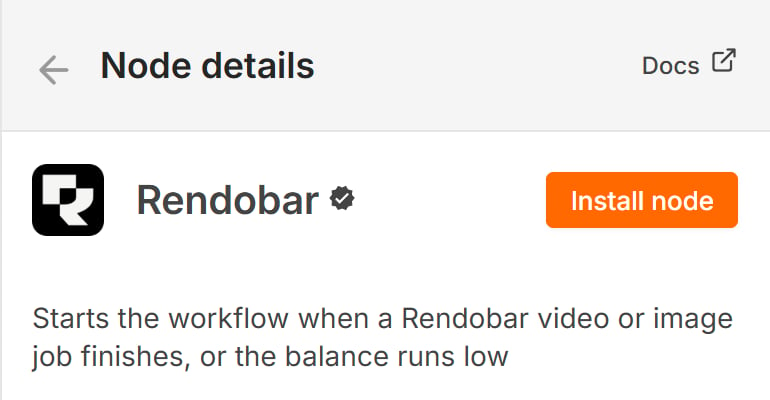
The node details panel before install. The verified badge means n8n reviewed the code and publishes the version itself, and Install node makes the node available to everyone on the instance.
Install on self-hosted n8n
The same search works on n8n 1.94.0 and later. Two environment variables gate it, and both default totrue:
@rendobar/n8n-nodes-rendobar. n8n’s verified community nodes page covers both paths.
Add your API key
The node authenticates with a Rendobar API key. Create one on the API Keys page of the dashboard, then add a Rendobar API credential in n8n and paste it in. The key starts withrb_. n8n checks it against your account when you save, so a wrong key fails at save time and not mid-workflow.
Leave Base URL at https://api.rendobar.com unless you’re pointing at another environment.
Run a job
The package ships two nodes. Rendobar runs operations against the API and Rendobar Trigger starts a workflow on an event. The common chain is three Rendobar nodes:- File > Upload streams a binary from the previous node and returns a
url. - Job > Create picks a job type and references that
urlin its inputs. - Job > Get with Download Output File on fetches the finished file into a binary property.
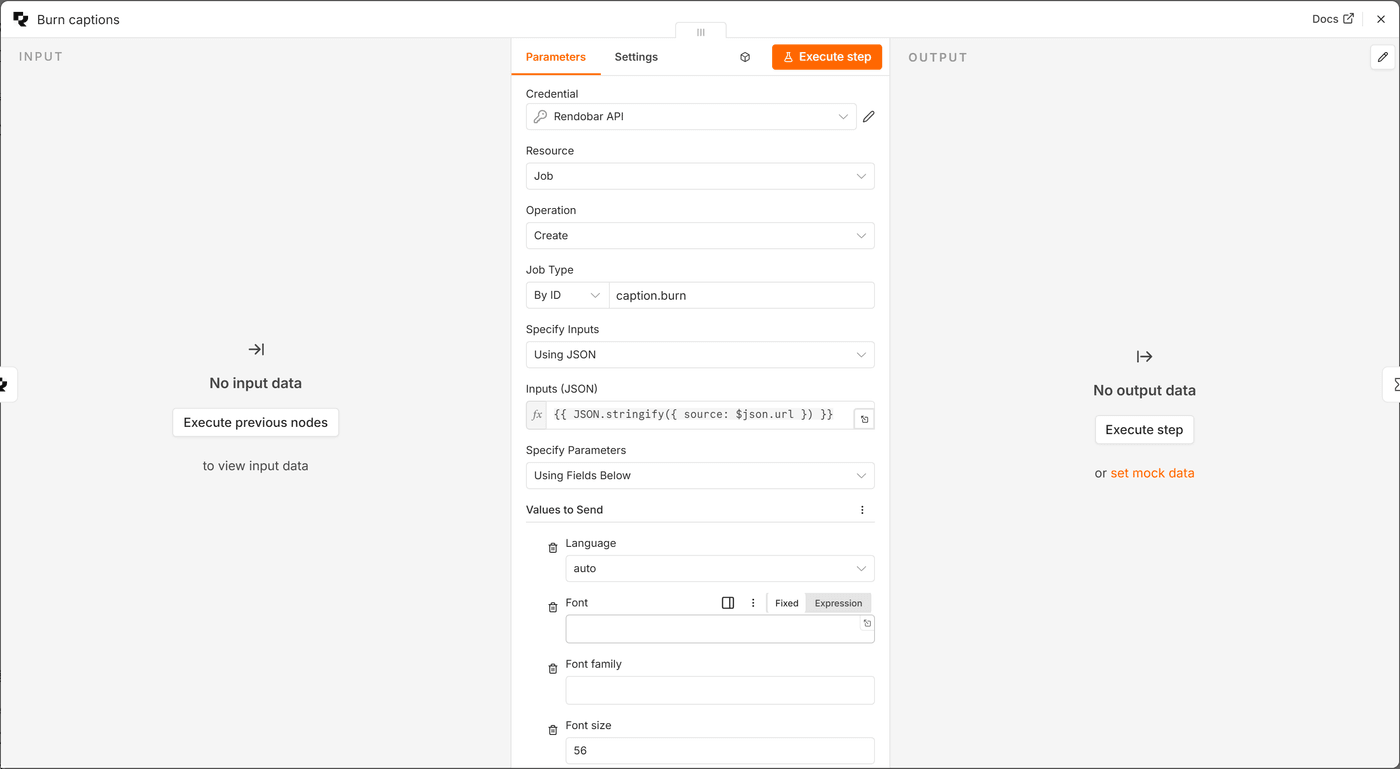
The Create Job panel with caption.burn selected. The fields under Values to Send come from the job type's own schema, so a new job type appears here without a node update.
ffmpeg and ffprobe, which name their files inside the command, switch Specify Inputs to Using JSON and give the inputs by name:
source and names its output:
What comes out
Every job type returns the same shape on completion, lifted to the top of the item. With Output set to Simplified, a finished job looks like this:file is the headline result, or null for a job that computes data. data carries a probe report or a transcript, or null for a file-only job. files lists every output. Raw returns the full job and Selected Fields lets you pick.
How do I wait for a long job?
A transcode can take minutes and an hour-long render can take an hour. The node offers three ways to get the result, and only one of them is right for a long job.
Wait for Completion holds a worker. Callback URL plus a Wait node parks the execution for free. The trigger node waits for nothing because a second workflow starts when the job ends.
- Resume on Webhook Call, with HTTP Method set to POST. Rendobar POSTs the callback and the Wait node defaults to GET.
- Limit Wait Time on, at ten hours. An execution whose callback never lands releases itself instead of parking forever.
$json.body.data. Run Job > Get on that jobId to re-fetch the job over your own credential and download the file, so the payload that woke the Wait node is never trusted.
How do I start a workflow when a job ends?
Rendobar Trigger registers a webhook with Rendobar when the workflow activates and removes it on deactivation. Pick the events:job.failed with Job > Get Logs and the item carries the runner’s log, including FFmpeg’s stderr, so a Slack or email node can post the actual error. Pair balance.low with Account > Get to read how low.
Rendobar must reach the webhook URL over HTTPS. That’s true on n8n Cloud and on any publicly hosted instance. A localhost n8n is not reachable, so test locally through a tunnel such as cloudflared tunnel --url http://localhost:5678 and set WEBHOOK_URL to its hostname.
Can I use it as an AI Agent tool?
The node is marked usable as a tool, so it attaches to the AI Agent node’s tool port and n8n builds the tool schema from the node’s own parameters. Nothing else to define.
An agent with three Rendobar tools. Account Get reads the balance before the agent spends, Job Create runs the work, and Job Get Logs reads FFmpeg's stderr when a job fails.
- Account > Get before anything that spends.
balance.amounttells the agent how much it has andplan.limitswhat a submission is measured against. - Job > Create for the work itself. The agent picks the job type and fills the parameters.
- Job > Get Logs after a
job.failedevent, so the agent reads the real FFmpeg error, fixes the command and resubmits.
N8N_COMMUNITY_PACKAGES_ALLOW_TOOL_USAGE=true.
Operations
Storage
Create Job’s Destinations option writes the output to buckets connected on the Storage page: one row per bucket, each with an optional folder or path. The job’sdeliveries reports every write. Storage Connection lists the connections, and Storage File lists the folders and files in one, each with a storage:// URI that a job input accepts. See Storage connections.
Templates
Ready-made workflows that import and run on n8n Cloud are listed on the Automation overview.Troubleshooting
Rendobar does not appear in the nodes panel
Rendobar does not appear in the nodes panel
N8N_VERIFIED_PACKAGES_ENABLED and that the version is 1.94.0 or later. The manual route under Settings > Community Nodes works either way.The Wait node never resumes
The Wait node never resumes
{{ $execution.resumeUrl }} and that Wait for Completion is off. On a self-hosted instance, the resume URL must be reachable from the internet, so set WEBHOOK_URL to your public hostname.The item stops with INSUFFICIENT_CREDITS
The item stops with INSUFFICIENT_CREDITS
balance.amount, or top up in the dashboard.Download Output File returns nothing
Download Output File returns nothing
complete and produced one. A data-only job such as ffprobe never produces a file and puts its result under data. A job past its retention window has had its files removed. Run Job > Get to see which applies.The trigger registered but never fires
The trigger registered but never fires
localhost URL is the usual cause. Use a tunnel and set WEBHOOK_URL, then deactivate and reactivate the workflow so the node re-registers.See also
- Job lifecycle: the six statuses a job moves through
- Webhooks: the events the trigger node subscribes to
- Rendobar on n8n.io: the verified listing
- Source on GitHub: MIT licensed, published from CI with npm provenance