

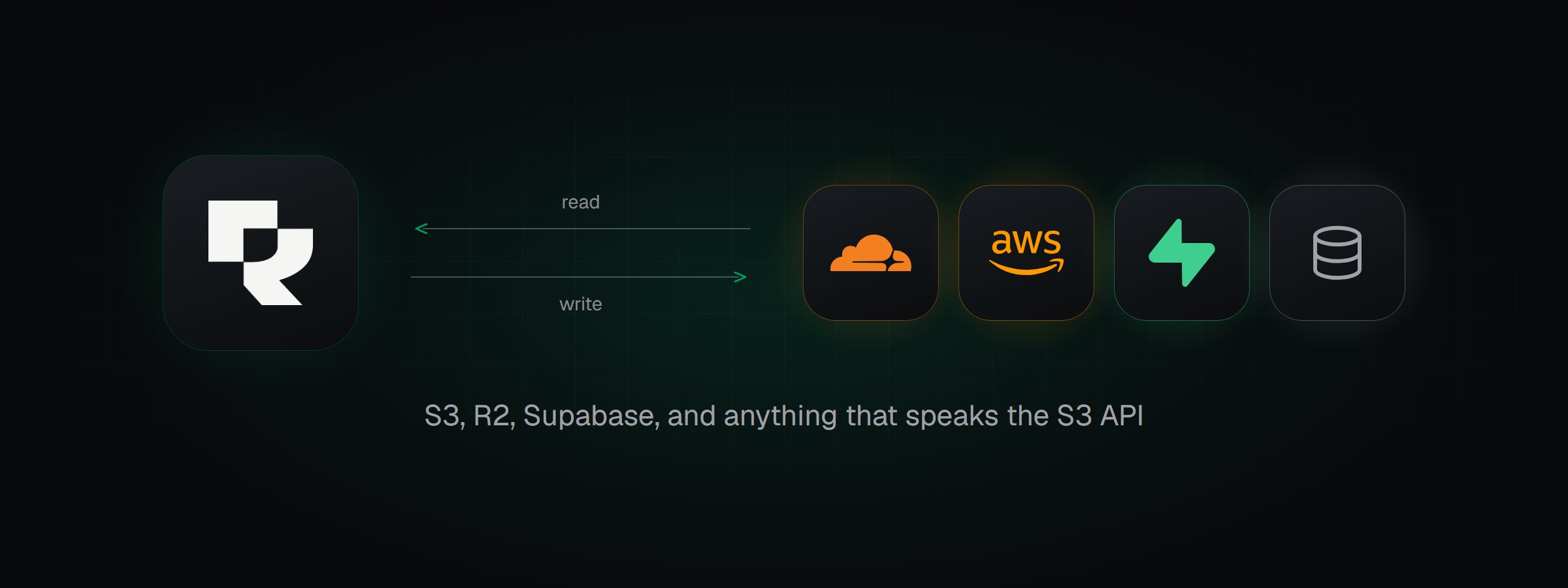
Rendobar reads inputs from connected buckets and writes outputs back to them.
Which providers are supported?
Use S3-compatible for any service that implements the S3 API, such as MinIO, Backblaze B2, or Wasabi.
How does a storage connection work?
A connection has three parts:Connect a bucket
In Storage, select Connect Storage and choose your provider. Each provider page covers the credential it needs.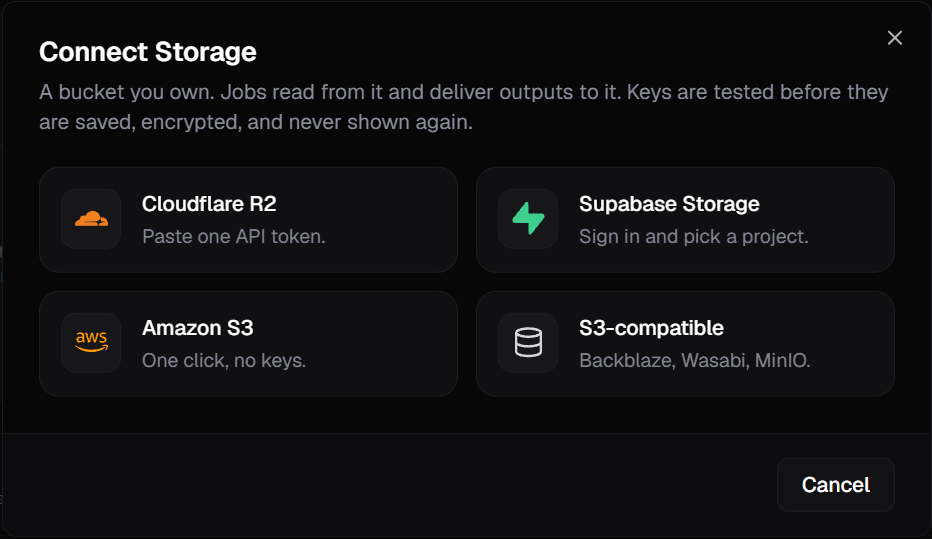
The Connect Storage dialog.
client.storage.test(id).
Reference the bucket
Put the connection id in astorage:// URI, followed by the object’s path in the bucket. For example, storage://demo-bucket/raw/clip.mp4 is the object raw/clip.mp4 in the connection demo-bucket.
If the path contains %, ? or #, write those characters as %25, %3F and %23. For example, storage://demo-bucket/raw/clip%231.mp4 is the object raw/clip#1.mp4. The Storage page, the Playground and the Rendobar clients write them this way for you.
Rendobar suggests an id from the bucket name, and any id must match [a-z0-9-]{2,40}. Jobs use the id, not the credential, so you can rotate a credential without changing any job.
Use it in a job
Astorage:// URI works anywhere a job accepts a file URL. Put it in inputs to read an object, and in destinations to write the output:
list_storage to get the connection ids.
In the Playground, you can pick the input and the destination instead of typing URIs.
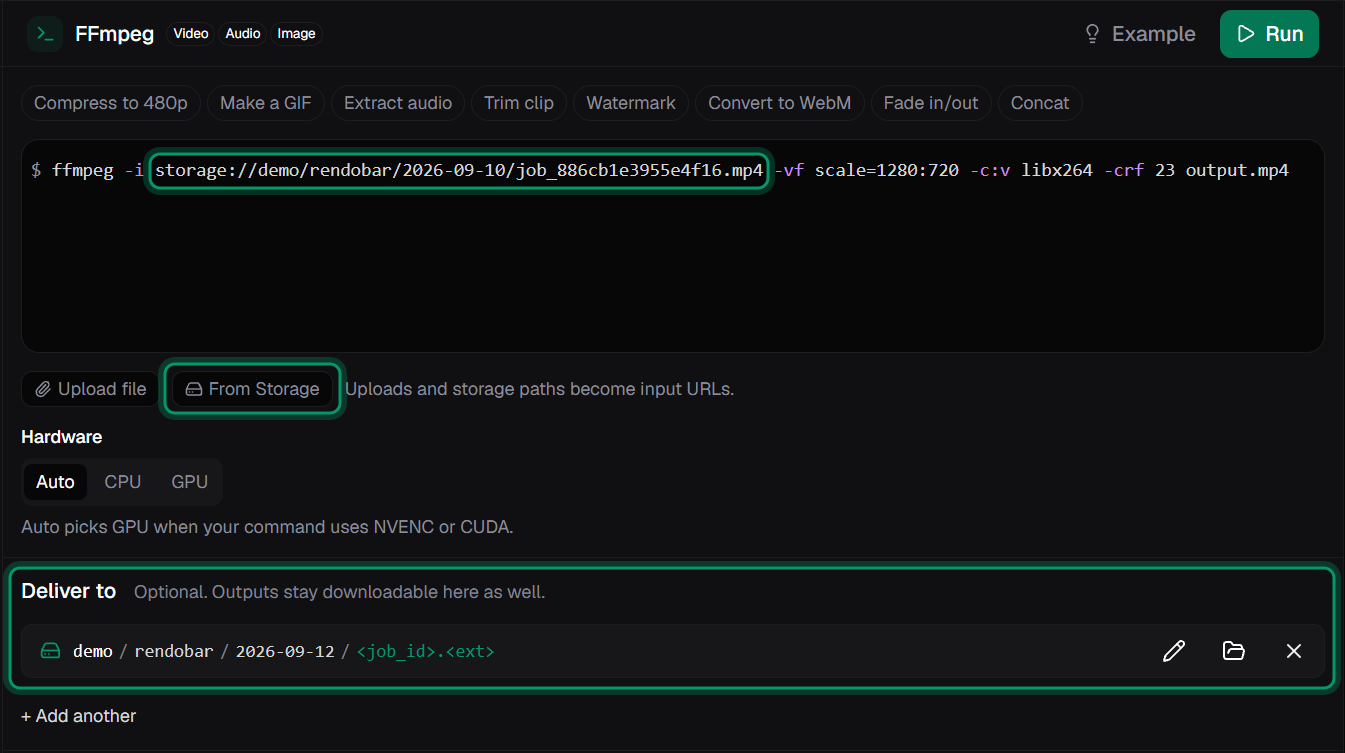
An ffmpeg job with its input as a storage:// URI, picked with From Storage, and its output destination under Deliver to.
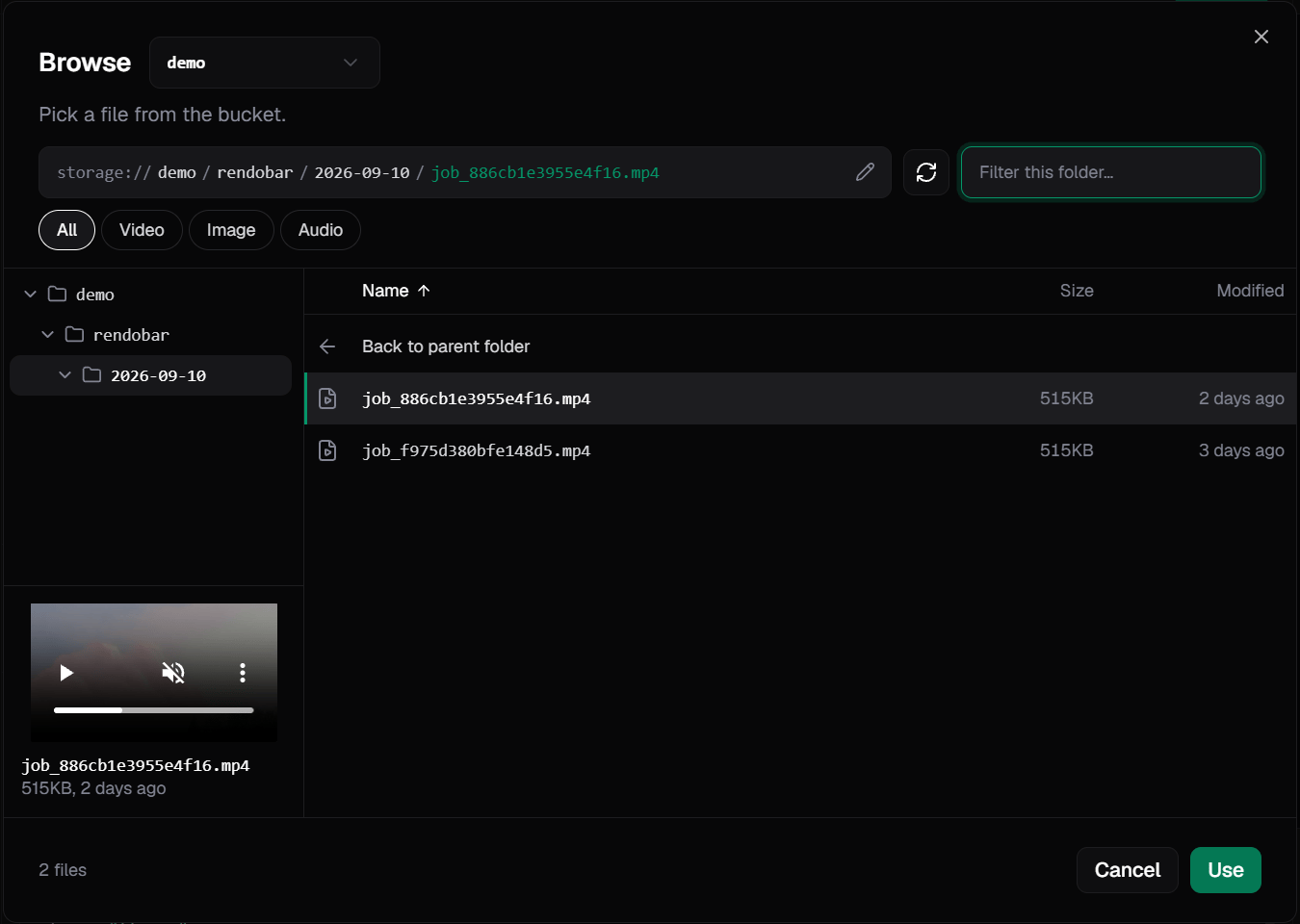
Picking an input file from a connected bucket.
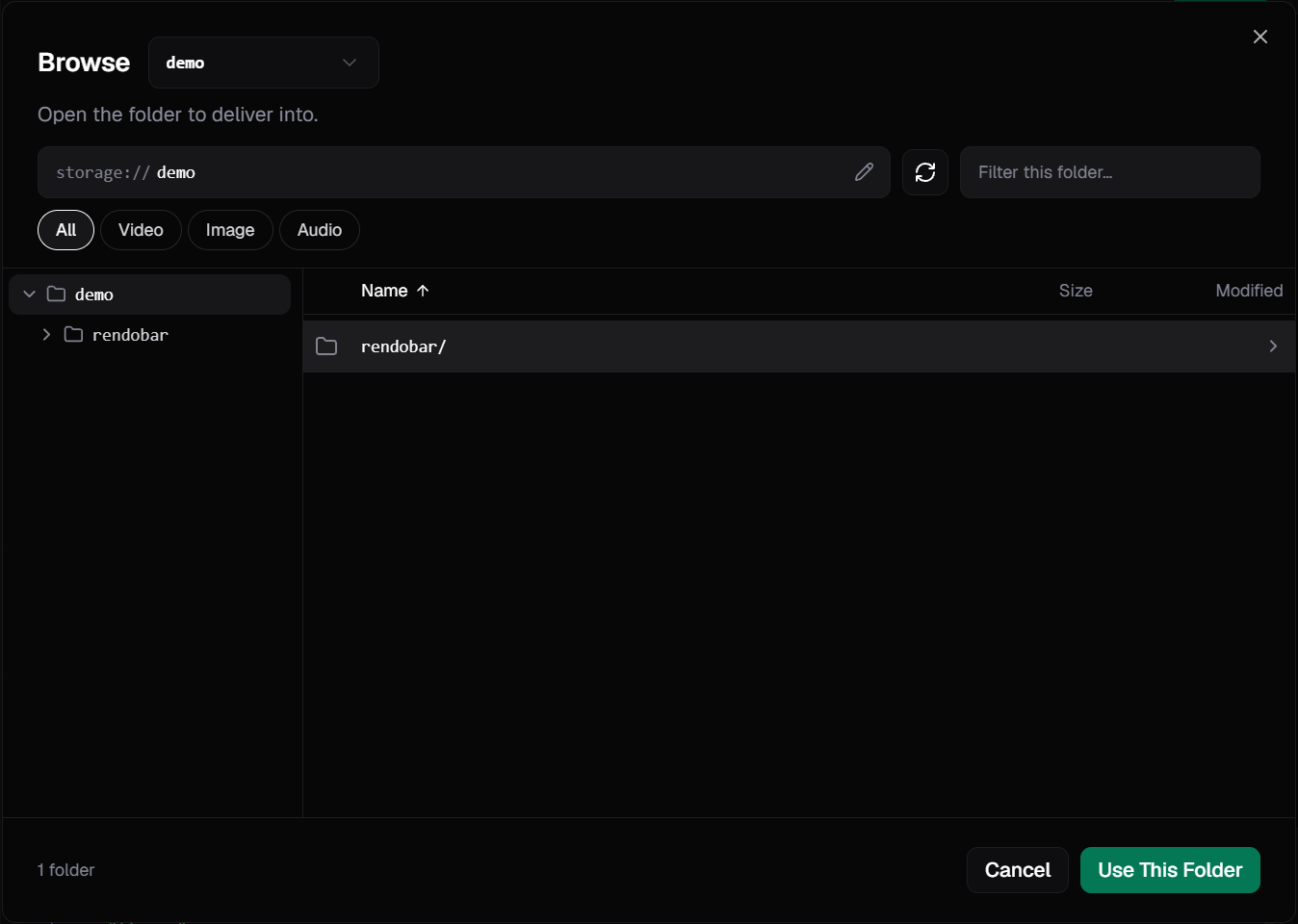
Picking a folder to deliver the output into.
What happens when the job runs
For the job above, which reads from the bucket and writes back to it:- You submit a job that uses
storage://URIs. - Rendobar starts the job and gives the job runner a signed URL for the input. The URL covers one object and expires, so the runner never holds your credential.
- The job runner downloads the input through the signed URL and runs the job.
- The job runner uploads the output to Rendobar. This copy is
output.file.url. - Rendobar writes the whole output to your bucket with the connection’s credential, as described in what gets delivered. The result is reported as a delivery event.
Delivery settings
Each connection has four delivery settings. To change them, select the connection in Storage, then select the edit icon on the Delivery card.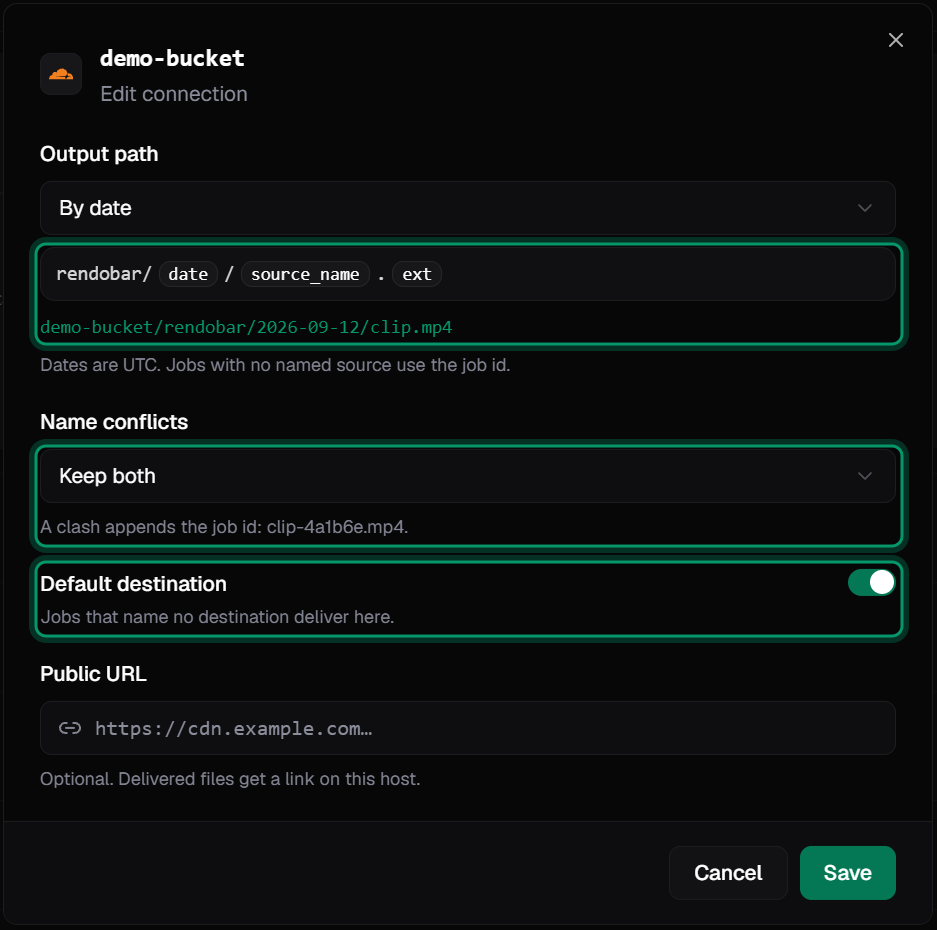
Delivery settings: output path, name conflicts, default destination, and public URL.
Output path
The output path is a template. New connections use By date, which isrendobar/{date}/{source_name}.{ext}. The dialog also offers Flat, which is rendobar/{source_name}.{ext}, and Custom template.
The destination in a job decides how much of the template applies. For a connection using By date, and an input named
clip.mp4:
A path that contains a token, or ends in a file name, is used as written. Any other path is treated as a folder.
Name conflicts
A template without{job_id}, including By date, can produce a key that already exists. Name conflicts decides what happens.
Default destination
When Default destination is on, jobs that do not setdestinations write their outputs to this connection. Only one connection per organization can be the default, so turning it on for one connection turns it off for the others.
Public URL
By default, a delivery’surl points to Rendobar. Set a public URL to return links on your own host instead, such as https://media.example.com/exports/clip.mp4. It must use https and cannot point to a private or internal host.
Leave it empty for a private bucket. Inputs and outputs still work, and only the returned url changes.
What gets delivered
A destination receives the job’s wholeoutput, whatever the job returns. The output path splits into a name and an extension, and every piece lands under that name:
If the file is itself
.json, its data is written to exports/clip.data.json instead.
There is no size limit on a delivery beyond your bucket’s own. Large files and long file sets are written in parts over as many attempts as they need, and the delivery stays pending until the last part lands.
With Keep both, Rendobar checks the output name and the .json name before writing. If either is taken, the job’s suffix is added to the name, so every piece moves together, for example to exports/clip-4a1b6e/. Inside a folder, only its first file is checked, so add {job_id} to the output path if files from different jobs must never share a folder.
Delivery results
A completed job lists one entry indeliveries for each destination:
For a single file,
output.file.url and deliveries[].url point to the same content. The first is a Rendobar URL that expires at output.expiresAt. The second points to the copy in your bucket, which Rendobar does not delete. For a folder, each file’s key is the folder path plus that file’s output.files[].path.
deliveries is returned by GET /jobs/{id}. It is not in the job list response, and it is absent when a job has no destinations.
In the dashboard, a job’s Deliveries section shows each destination’s status and failure reason, and Retry Failed retries the failed ones.
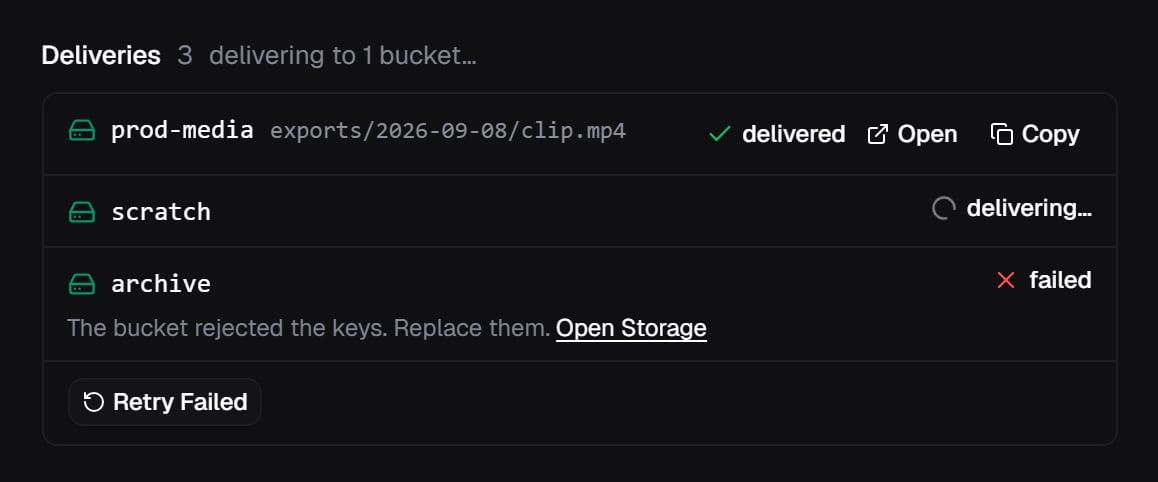
A job's deliveries: one delivered, one in progress, and one failed with its reason.
Delivery events
A job iscomplete before its deliveries start, and a failed delivery does not change the job’s status. Webhooks can arrive in any order, including job.completed.
Wait for job.deliveries_settled to know every destination is done. It is sent once, after the last destination resolves, and carries every outcome, so the order of the other events does not matter. It is the only delivery event a per-job callback.url receives. Jobs with no destinations do not send it.
To retry failed deliveries, call client.jobs.retryDeliveries(id) or POST /jobs/{id}/deliveries/retry.
Delivery errors
A failed delivery includes one of thesereason codes. Rendobar never forwards the bucket’s own error text.
Errors returned when you create a connection are listed in error codes.
How are credentials stored?
For connections that use keys, Rendobar stores the access key and secret, encrypted with AES-256-GCM. No API endpoint returns them. A one-click AWS role stores no keys, because Rendobar assumes the role when it needs access. Some providers issue a different kind of credential, such as a Cloudflare R2 API token. Rendobar uses it once to get an S3 key pair, then discards it. A Supabase sign-in is used once to read the project’s API keys, then discarded. See what Rendobar stores for Supabase.Rotate a credential
Select Replace Keys from the connection’s actions menu in Storage, or callclient.storage.update(id, { credentials }). Rendobar runs the access checks on the new credential before saving it. The connection id stays the same.
Revoke access
Delete the token, key, or role in the provider’s console. The connection stops working immediately. Deleting a Rendobar connection also stops access, but it does not invalidate the credential. If you use the credential anywhere else, revoke it at the provider too.SDK methods
Listing and reading connections needs thestorage:read scope. Connecting, testing, changing and
deleting them needs storage:write and the owner or admin role. See scopes.
Related resources
Cloudflare R2
Connect an R2 bucket with an API token or an access key pair.
Amazon S3
Connect an S3 bucket with a one-click IAM role or an access key pair.
Supabase Storage
Connect a Supabase bucket by signing in or with S3 access keys.
S3-compatible
Connect MinIO, Backblaze B2, Wasabi, or any other S3-compatible bucket.
Jobs
Where
inputs and destinations appear in the job payload.Webhooks
Receive an event when a job completes.
Errors
Error codes returned when you create or test a connection.
MCP server
List connections with
list_storage and use them from an agent.Guides with measured results
Save FFmpeg output to S3
Three ways to get output into a bucket, and what pipe-safe MP4 flags cost.
Process video from an S3 bucket
Run past Lambda’s 900-second limit with a storage input.
Thumbnails from S3 uploads
Trigger a thumbnail job from an S3 event without black frames or duplicates.
Video APIs that deliver to your bucket
13 services compared on keys, roles, and reading inputs from your bucket.